
Mon Garage
Buy, repair, sell on: the books of a car enthusiast.
Date: 2026
My father-in-law is a car enthusiast. He never stops talking about his old red 205 GTI, the one on the icon. He buys Peugeots, repairs them and sells them on, and his whole activity lived in a phone note he could no longer make sense of: what he had paid, what he had replaced, what he hoped to get back.
In September 2026 I made him an app to organise it: his cars and their status, from spotted to sold; what was done on each and what it cost; his tasks and his next appointments; and a dashboard that takes stock of the whole activity. It runs on his Android phone, with no server and no account: everything stays with him, with a backup and, if he wishes, his own Google Drive.
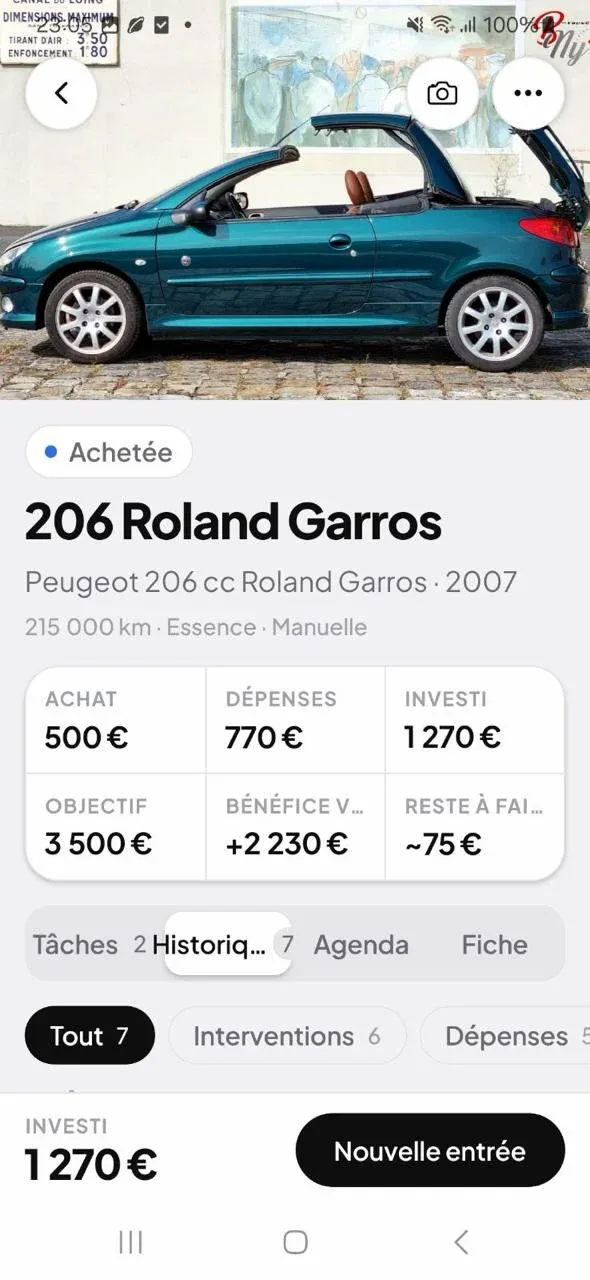
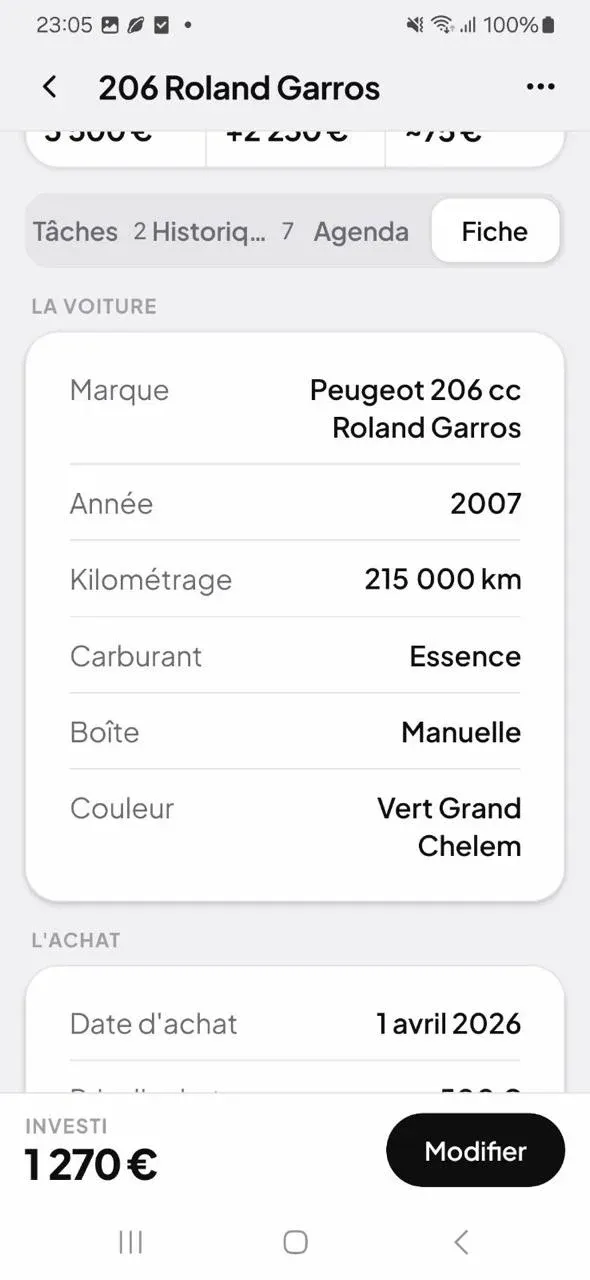
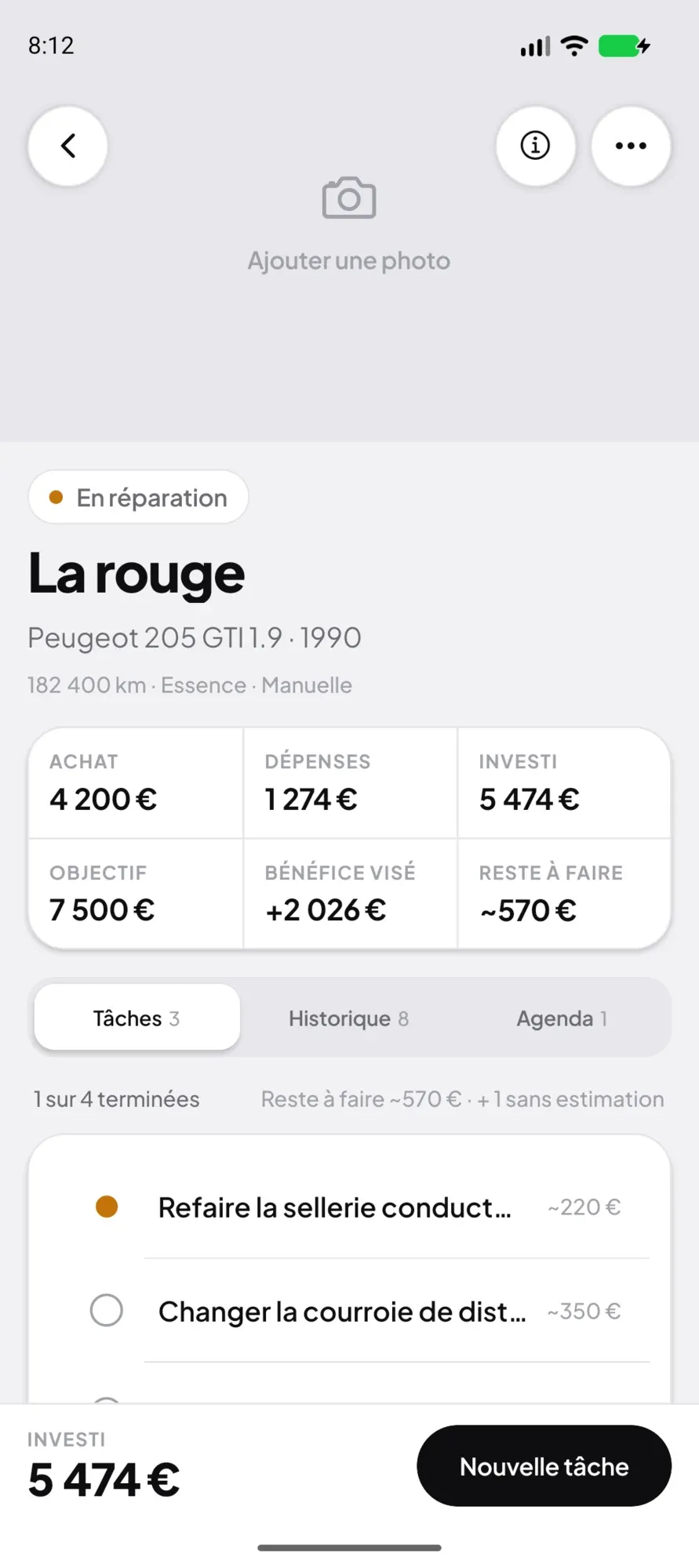
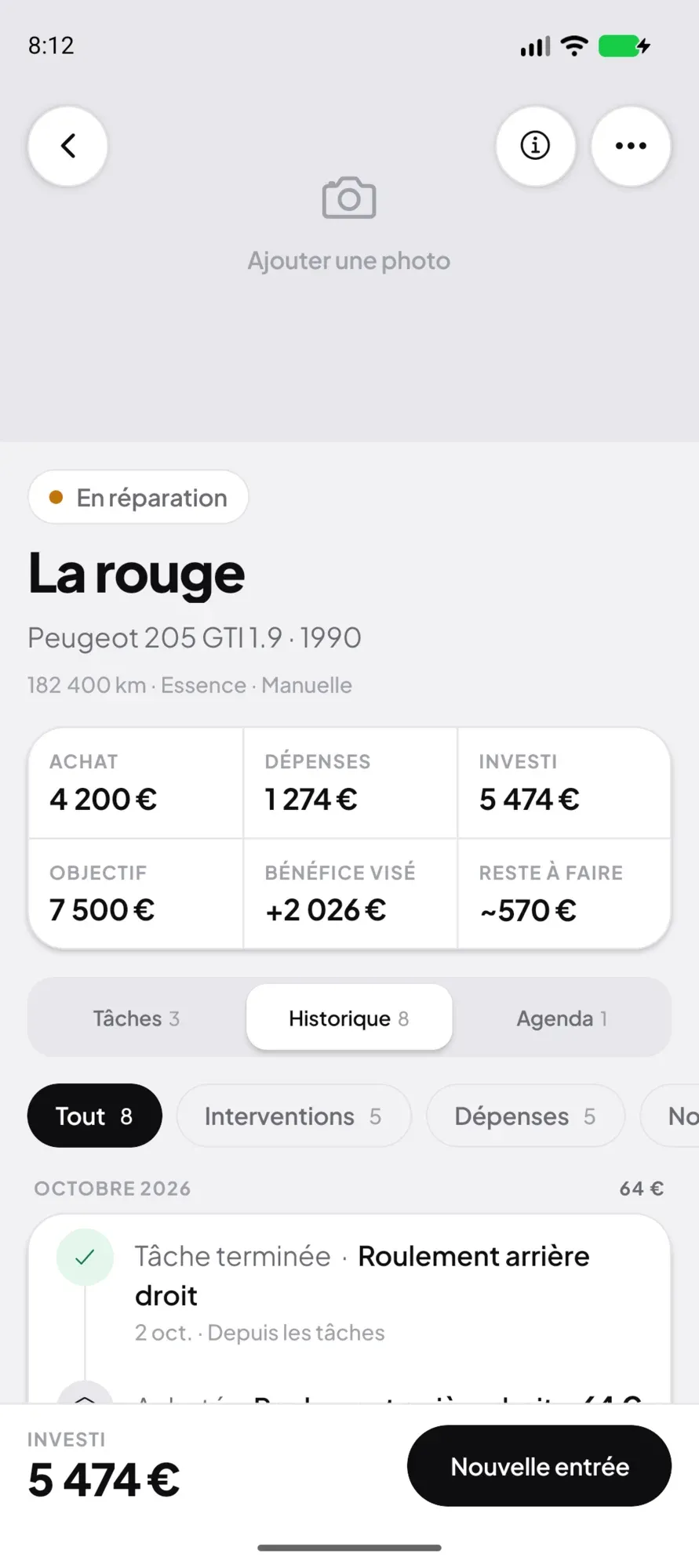
He uses it every day: the captures on this page come from his phone, with his 206 CC under repair.
The result
What was done
01
The app
An Android app for a single user, designed and built alone, from the screen to the database: the garage, each car’s page, its tasks, its history, its appointments, the summary and the settings, light or dark.
Expo · React Native · TypeScript
02
The local database
All the data on the phone, in a SQLite database: cars, tasks, history entries, appointments and photos, amounts kept to the cent. The app works offline.
SQLite
03
The computations
Each car’s and the garage’s accounts, invested, profit, margin, days tied up, hourly pay, best and worst deal, written as pure functions and recomputed at every change.
TypeScript
04
The reminders
One reminder per appointment, from a quarter of an hour to a week before, scheduled as a local notification and recomputed at every launch, after every change and after every sync.
Local notifications
05
The backup
A complete backup in one file, photos included, exported through the share sheet and imported back by merging: the latest version of each item wins, nothing is deleted.
JSON
06
The sync
An optional sync through the user’s own Google Drive, in a private folder only the app reads: data merged, deletions propagated, photos as separate files.
Google Drive
How it works
Scroll: the drawing follows.
01 / 08
Register a car
The make is enough to start; the model, the year, a nickname, the mileage or the plate come when you have them. Its status follows its path: spotted, bought, under repair, for sale, sold. Its photos, taken on the spot or picked from the gallery, come next, the first one as its cover.
02 / 08
List what is left to do
Call the mechanic about the gearbox, order a spare part: each task has its name and an estimated cost, and moves in one tap from “to do” to “in progress” to “done”. The car’s page adds up the estimates of what is left to do.
03 / 08
Trace what has been done
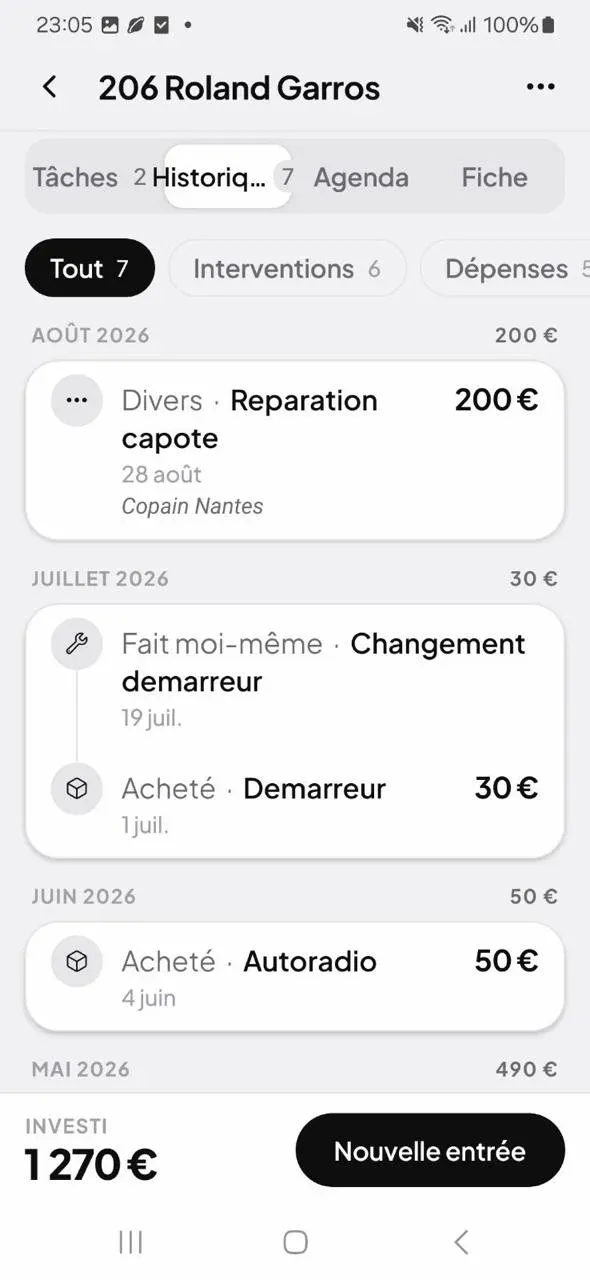
A part bought, a job done yourself, a visit to the garage, paperwork or a simple note: each entry is dated, with its amount, its supplier and the hours spent. The history reads month by month, with each month’s total, and a finished task writes itself in.
04 / 08
Never miss an appointment
A buyer’s visit, the garage, the roadworthiness test: each appointment has its time, its place and its contact, and a reminder, from a quarter of an hour to a week before. The agenda gathers those of every car, overdue ones first, and a button calls the contact.
05 / 08
Keep a car’s accounts
Its page shows the purchase, the expenses and the total invested, then the target price and the profit aimed at. When the time comes to sell, the profit and the margin are computed before you confirm, and the spec sheet gives how long the car tied up money, from purchase to sale.
06 / 08
See every car at a glance
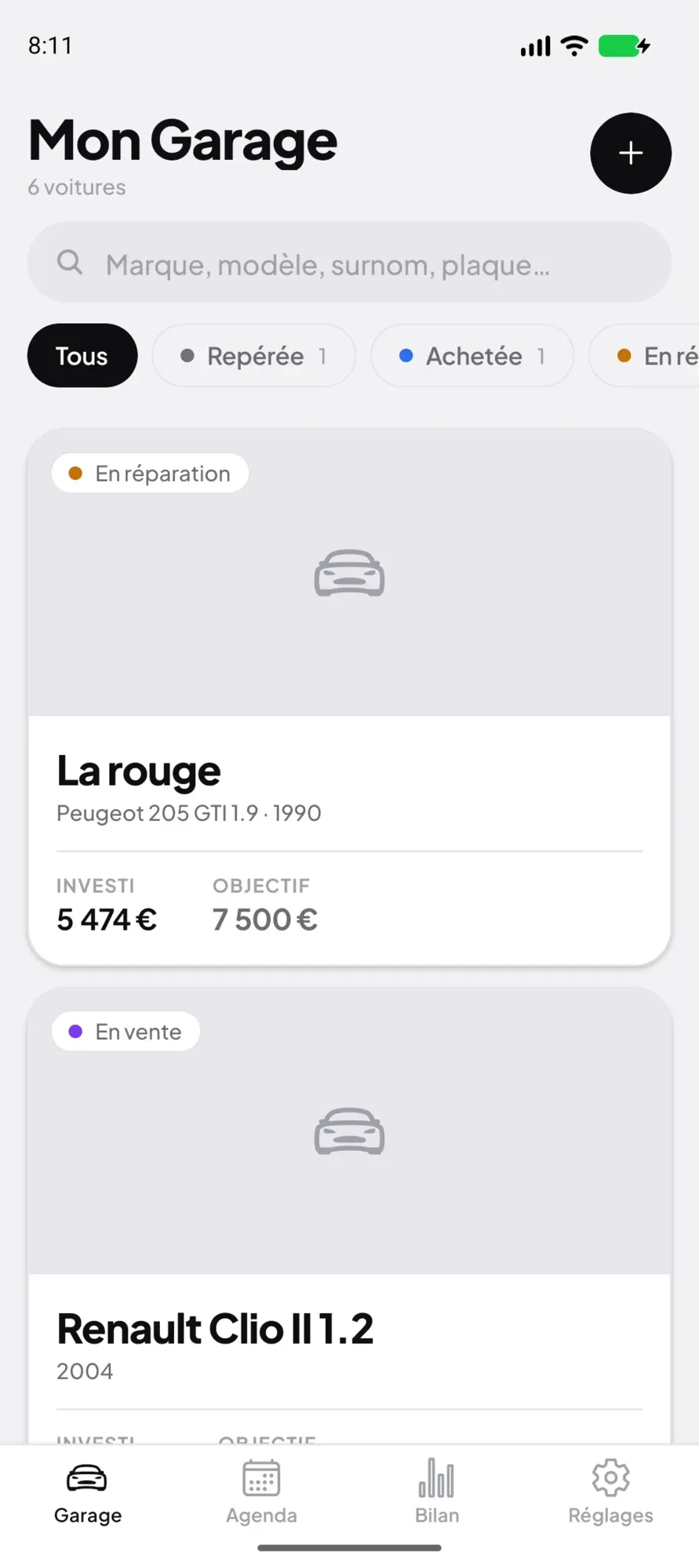
The garage lists them with their status, what they have cost, and their target or their profit. You filter by status, search by name, plate or serial number, and sort by date, name, amount invested or profit. Sold cars leave the list without disappearing.
07 / 08
Take stock of the whole activity
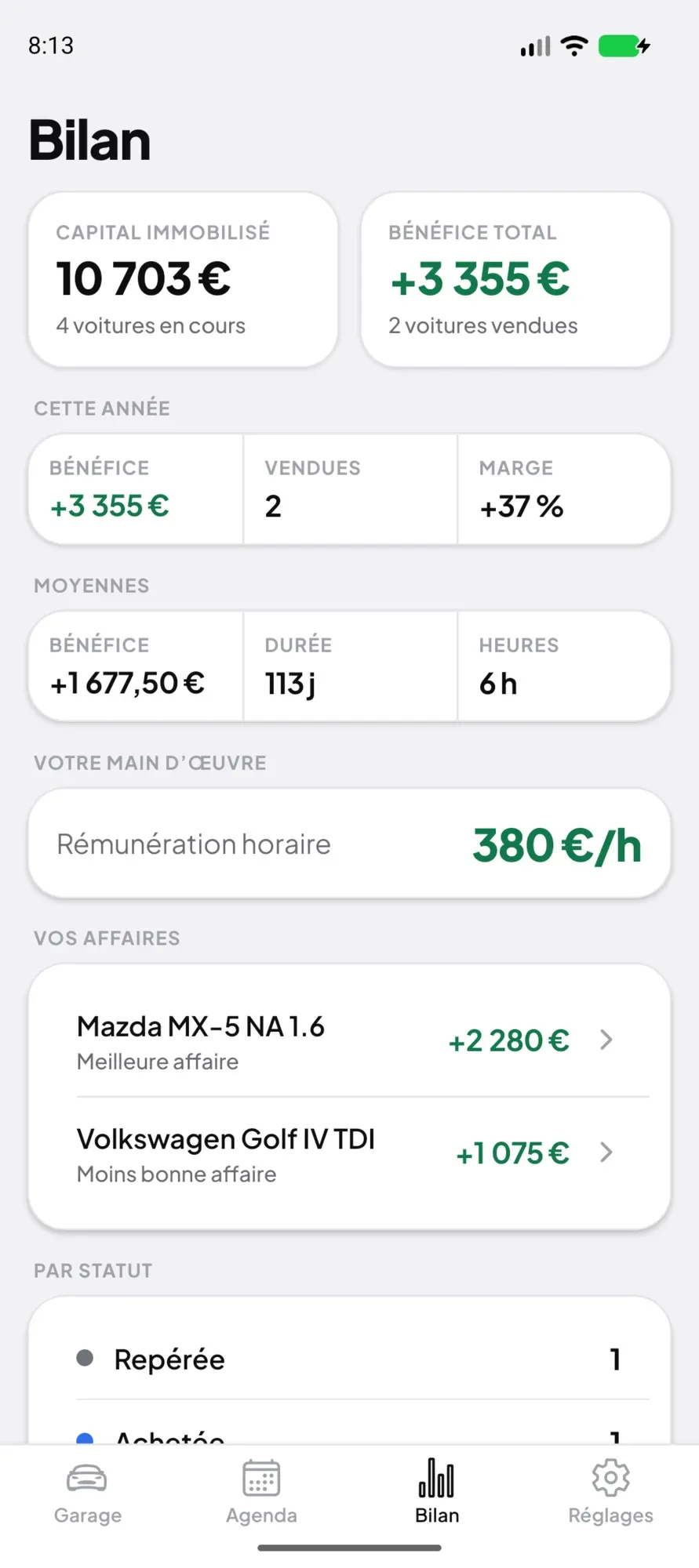
The summary does the books for the whole activity: the capital tied up in the cars in progress, the total profit and this year’s, the average profit and duration of a deal, what an hour of work brings in, and the best and the worst deal.
08 / 08
Keep hold of your data
Everything stays on the phone: the app works in the garage, with no network. A complete backup, photos included, exports to one file and imports back without overwriting anything. If you wish, the data syncs through your own Google Drive.
Specifications
- Collection
- Personal products
- Date
- 2026
- Context
- A personal project, for my father-in-law, a Peugeot 205 GTI enthusiast: that’s the car on the app’s icon.
- Role
- Design and development
- Built with
- Expo · SQLite
- Platforms
- Android