
Realbook
A singer’s songbook for the stage: lyrics, chord charts and keys.
Date: 2026
My mother is a singer. She often sings at jams, those jazz evenings where everyone improvises together: you have to give the musicians your key and know the chart by heart. She kept her songs in a folder of notes, and asked me for an app to hold the lyrics, the chord charts, her key and the original one, and to prepare her setlists. You refuse your mother nothing: here is Realbook, built in September 2026.
The app is on her iPhone, her iPad and her Mac, synced through her own iCloud account, with no server and no subscription: a title is enough to add a song, the artist and the artwork find themselves, the lyrics are looked up in an open database, and a chart can be read from a photo of a lead sheet. On stage, the lyrics or the chart show very large, and the screen stays on.
The name comes from the Real Book, the 1970s collection of jazz standards, a nod to the fake books musicians passed around in the 1940s and 1950s to play at jams. The app keeps their spirit: a notebook, a grotesque typeface, a touch of hip-hop.
The result
What was done
01
The app
One app on iPhone, iPad and Mac, whose layout follows the screen’s width: tabs on the phone, the list and the song side by side on iPad and Mac, with the Mac’s keyboard shortcuts.
Expo · React Native · Mac Catalyst
02
Storage and iCloud
Songs, their lyrics, their chart, their photos and the setlists kept on the device and mirrored into the user’s iCloud, through a native module; without iCloud, everything stays local.
Swift · Core Data · CloudKit
03
Search
A search by subsequence of letters, “mfv” finds My Funny Valentine, ranked by relevance; the sorts, filters, groups and the index on the edge.
TypeScript
04
Chart reading
The chord chart read from a photo of a lead sheet, on the device, with Apple’s text recognition, a strict chord vocabulary and doubtful bars flagged.
Swift · Vision
05
Online lookups
The artist and the artwork found in the device’s music or the Apple Music catalogue, the lyrics in an open database; no account, and everything works offline.
iTunes Search · LRCLIB
06
The player
The song played from its copy on the device, from Apple Music or as a thirty-second preview, in a floating player, in the background too.
Apple Music
07
Stage mode and setlists
Lyrics or chart very large, the screen kept on, the size and case remembered; setlists ordered by dragging songs.
How it works
Scroll: the drawing follows.
01 / 08
Add a song
A title is enough. “Find it” fills in the artist and the artwork, from the device’s music or the Apple Music catalogue. The lyrics are looked up in an open database, or typed; a photo of a chart or a PDF can be added to the song’s page.
02 / 08
Note its two keys
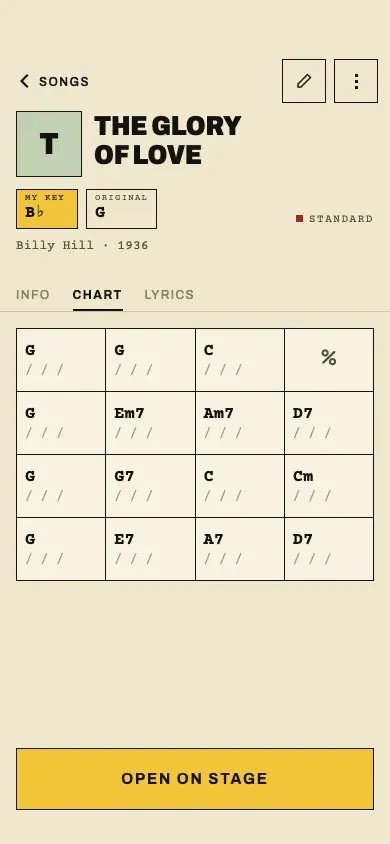
Each song carries the key she sings it in and the original one. You pick major or minor, then the note on a grid of twelve, or “I don’t know yet”. Her key shows on every song in the list, and large on stage.
03 / 08
Write the chord chart
The chart reads like a fakebook: four bars per line, “%” to repeat the previous one. You tap a bar and type the chord. It can also be read from a photo of a chart, on the device itself: doubtful bars are underlined, to be corrected.
04 / 08
Listen to the song
The song plays from its copy on the device, from Apple Music, or as a thirty-second preview. A small player stays at the bottom of the screen while you read the chart, and the date of last listening is updated.
05 / 08
Find a song
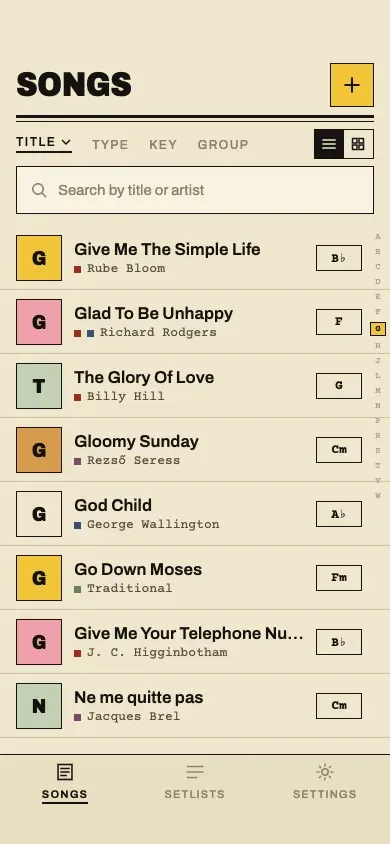
The repertoire is searched with a few letters: “mfv” finds My Funny Valentine. You sort it by title, artist, date added, last played or key, filter and group it by type or by key, as a list or a grid of covers, with an index on the edge, like the tabs of a paper songbook.
06 / 08
Go on stage
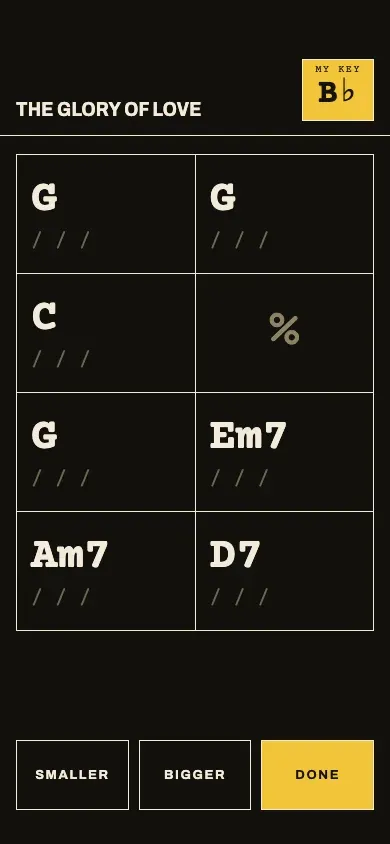
Stage mode shows the lyrics or the chart very large, her key in a box at the top, and keeps the screen on. The text grows or shrinks, in capitals or centred if she likes, and the app remembers it for the next time.
07 / 08
Prepare a setlist
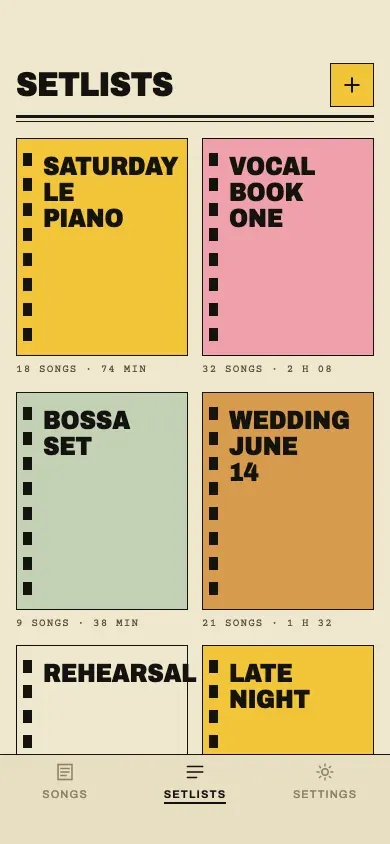
For each concert or jam, a setlist: songs ticked in a list, or added with a long press, then put in order by dragging them, each with its key. “Start the set” opens the first song in stage mode.
08 / 08
The repertoire on iPhone, iPad and Mac
The repertoire is on the iPhone, the iPad and the Mac, synced through her own iCloud account, with no server: offline, everything stays on the device. On iPad and Mac, the list and the song read side by side. A backup saves to a file; in French or English, light or dark.
Specifications
- Collection
- Personal products
- Date
- 2026
- Role
- Design and development
- Built with
- Expo · React Native · native Swift module · CloudKit
- Platforms
- iPhone · iPad · Mac (Catalyst)