
Radio Millésime
A radio app for older listeners: live in one tap, the programme, and a line to the team.
Date: 2021
Radio Millésime is a local digital platform designed to prevent isolation: it connects local authorities, families and the people who work on ageing well around a participatory, local and adapted medium. It broadcasts a radio programme around the clock, with no advertising, and local podcasts, in France, Belgium, Luxembourg and Switzerland.
In 2021 its team contacted me to build its radio’s app. I designed it for older listeners: three tabs in large type, the live stream that starts by itself, the week’s programme, the podcasts, emergency numbers and one’s own contacts to call in one tap, and postcards to write to the station. Everyone finds their local station by postcode, with the code the station gives its listeners. I also built the back office where the team keeps its stations, its podcasts, its programme grid and its messages.
The app came out on the App Store and Google Play in February 2022, and is still there, updated since by other developers.
The result
What was done
01
The app
An iOS and Android app for older listeners: three tabs, large buttons, type sizes fixed large, and a wider layout on tablets.
Flutter
02
Live and podcasts
The live stream that starts by itself and carries on with the screen off; the station’s audio or video podcasts, shown during their broadcast period, with a player and its bar.
Flutter · audio_service
03
Welcome by postcode
Towns suggested as the digits come, from open services in France and Belgium and bundled lists in Luxembourg and Switzerland; the station found, its access code checked and remembered.
Firebase
04
Contacts and postcards
Emergency numbers per country as large tiles, the listener’s contacts kept on their phone, with a picture or a photo, and a conversation in postcards with the station, live.
Firestore
05
The back office
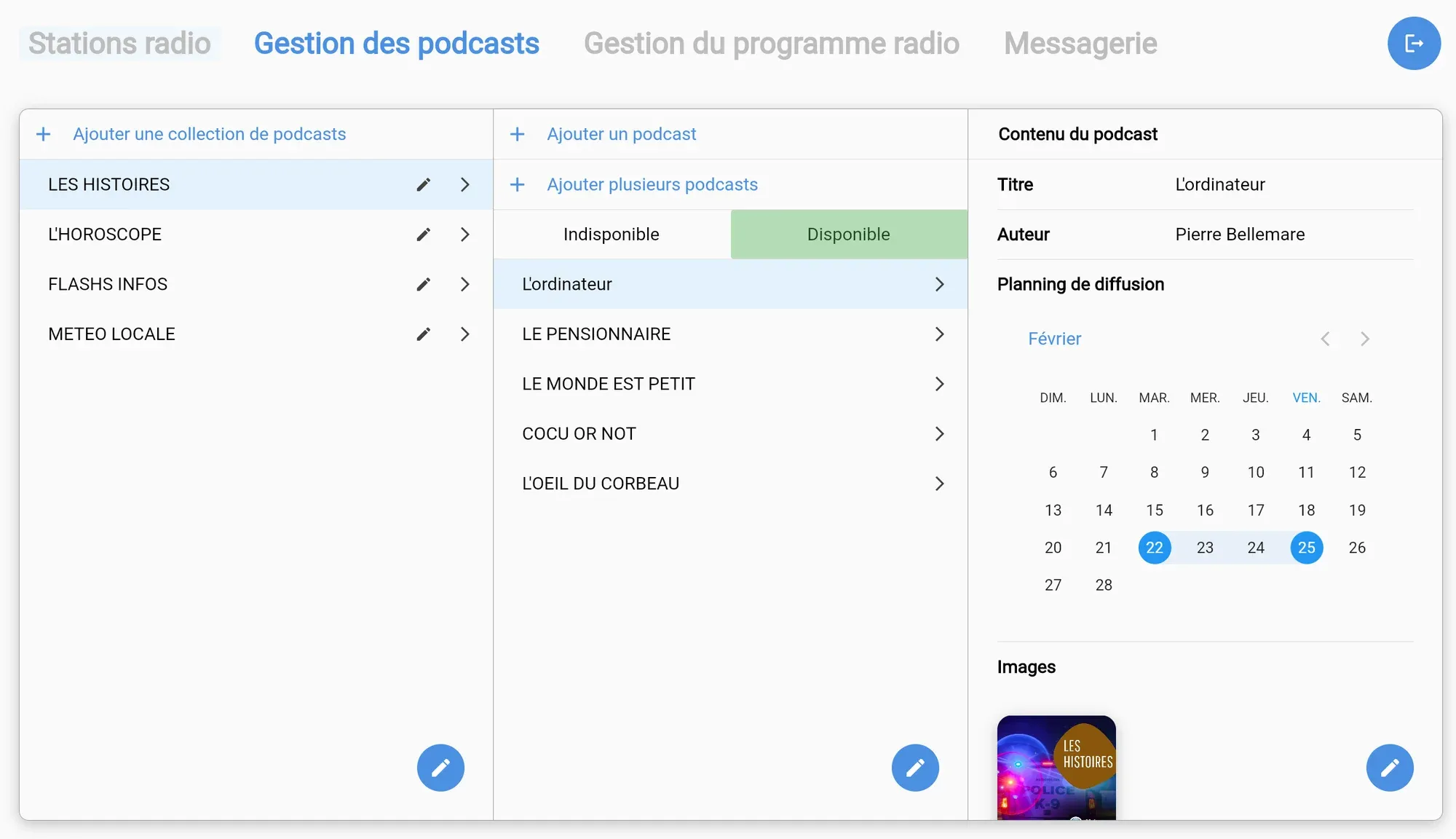
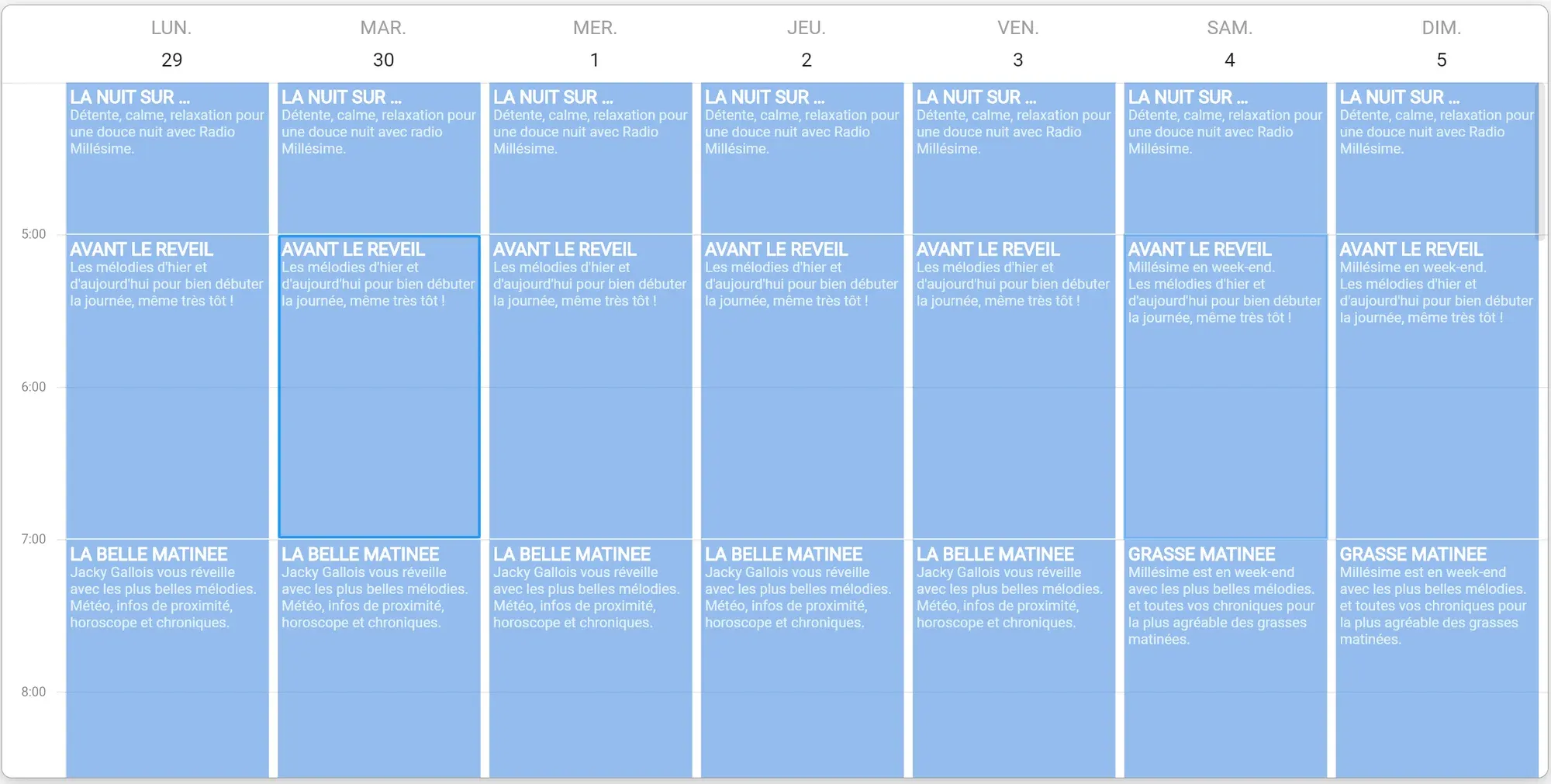
A site for the team: the stations, their stream, postcodes and picture; podcasts in collections, with their broadcast calendar and file conversion; the week’s grid, to place and stretch; emergency numbers; messaging.
Flutter web · Firebase
How it works
Scroll: the drawing follows.
01 / 07
Find your station
On first launch, you choose your country, France, Belgium, Luxembourg or Switzerland, then type your postcode: towns are suggested as the digits come. The app finds the local station, which gives its listeners an access code, and remembers it for next time.
02 / 07
Listen to the live stream
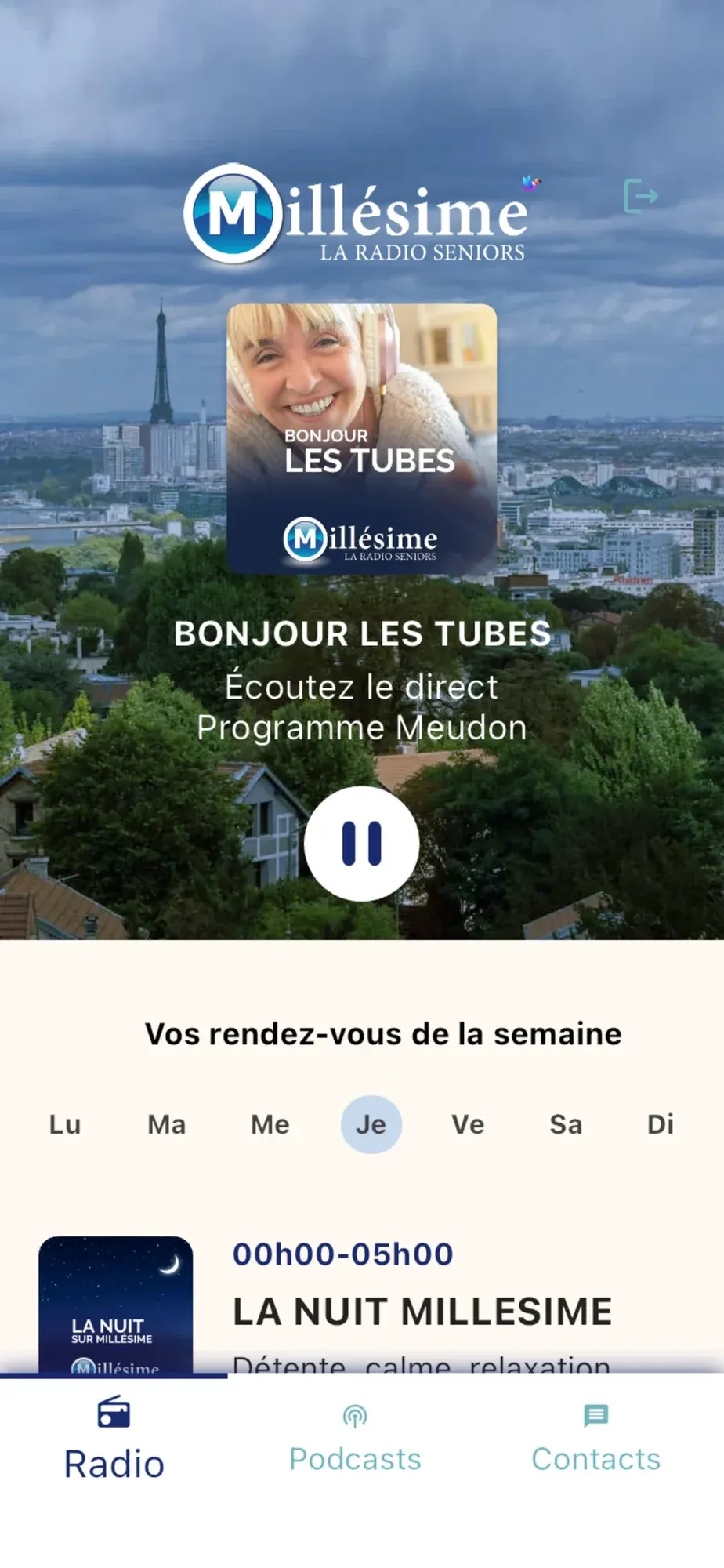
On opening, the live stream starts by itself, behind your station’s welcome image and the current programme. One large button is enough to stop or restart it, and the radio carries on with the screen off. Three tabs only, in large type: Radio, Podcasts, Contacts.
03 / 07
Follow the week’s programme
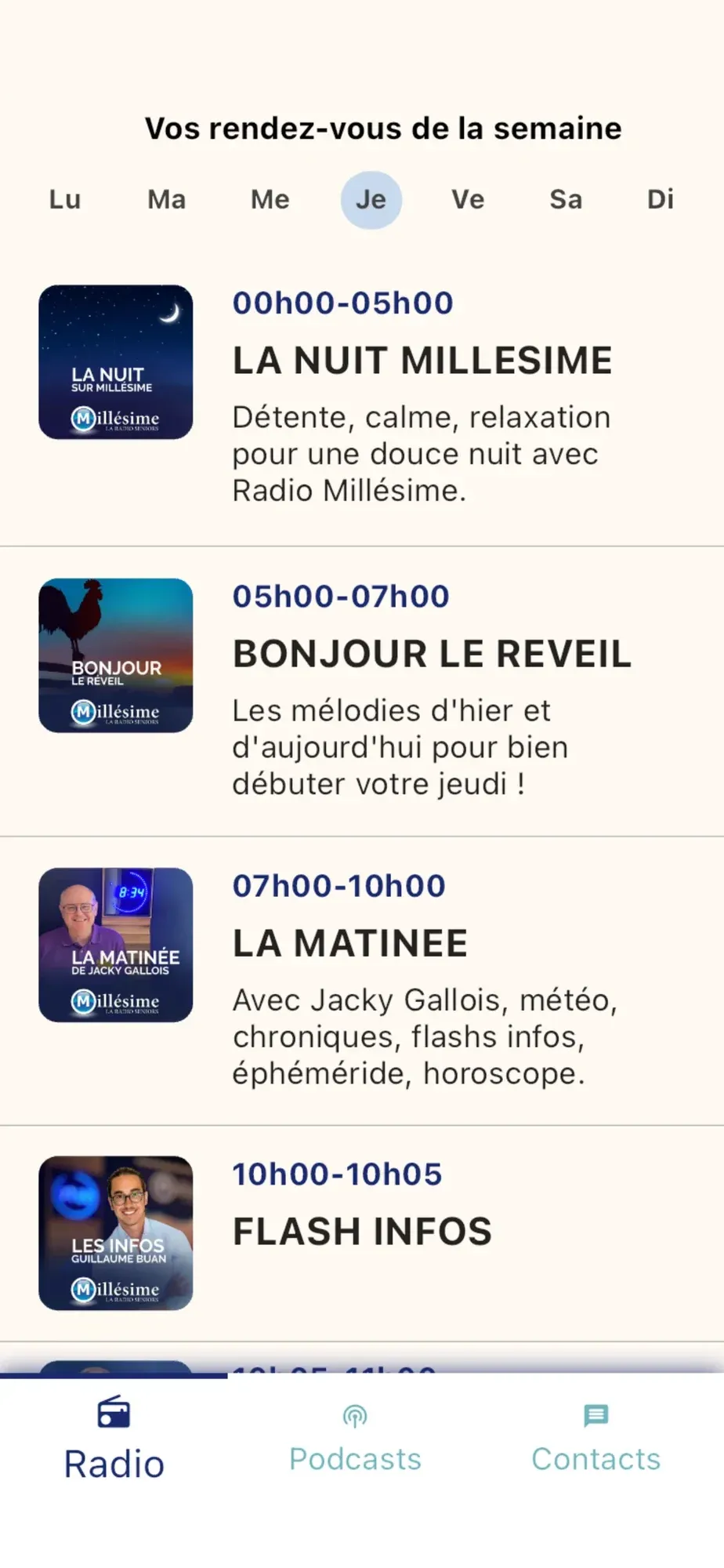
The week’s programmes read day by day, with the time, the title and the picture of each show; today is open in advance, and a word on each show says how to listen to it again.
04 / 07
Listen again to podcasts
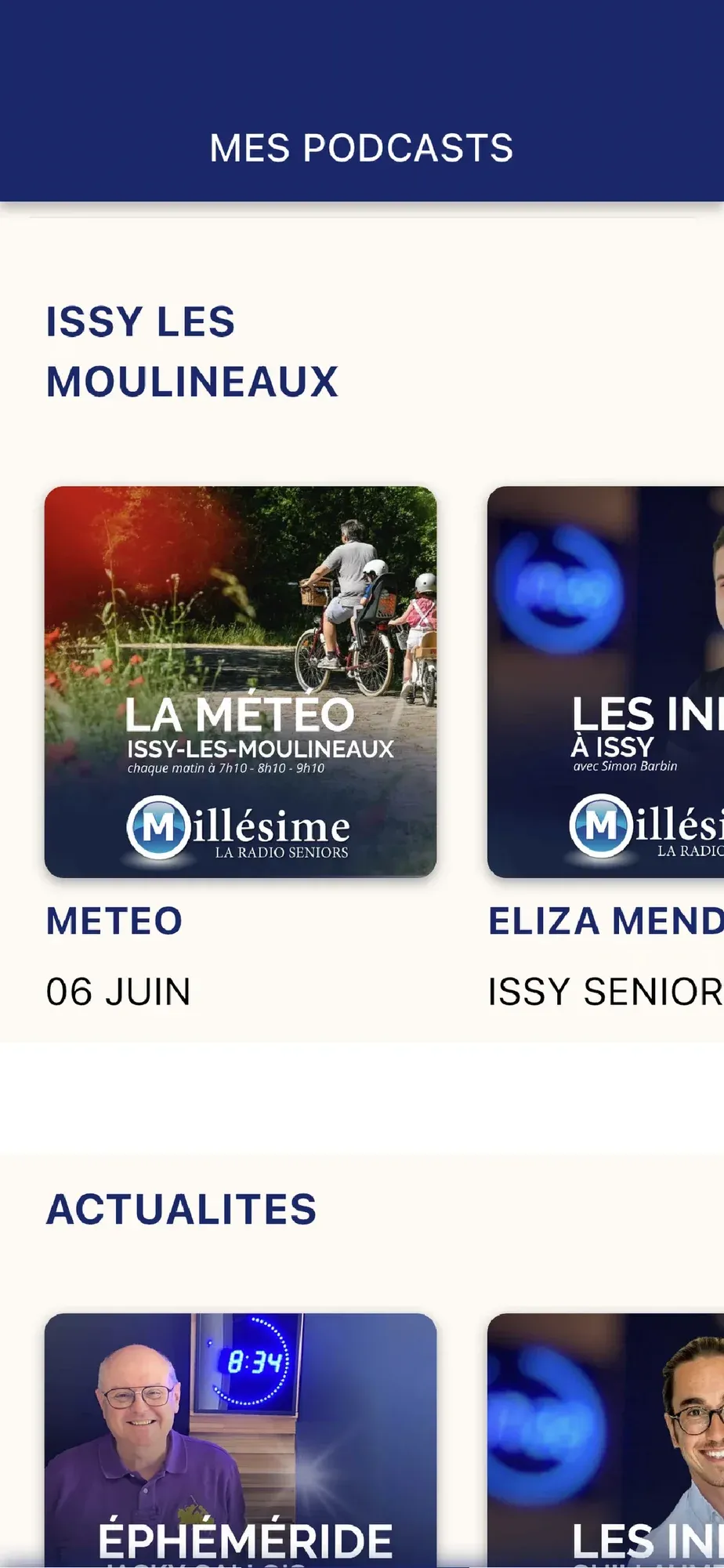
Your station’s podcasts, audio or video, are arranged in collections, and each appears during its broadcast period. A player with a bar to move forward, or the video full screen.
05 / 07
Keep your contacts within reach
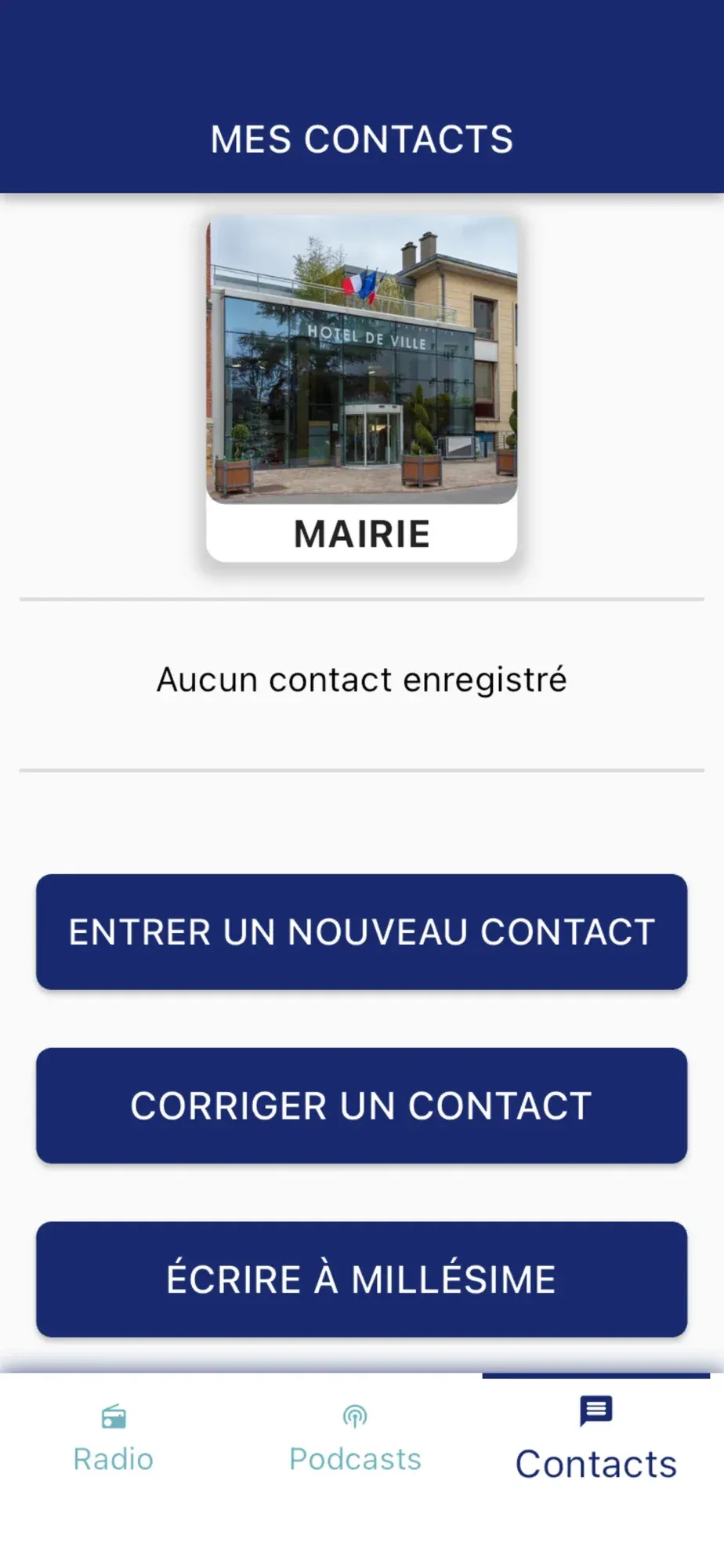
Your country’s emergency and service numbers, as large tiles, are called in one tap. You add your own contacts, doctor, pharmacy, taxi, family, each with a chosen picture or a photo taken, and an edit mode to change them without mistakes.
06 / 07
Write to the station
A postcard is written in large letters, its text then your name, and goes to the station’s team. Their reply comes into the same conversation, card for card.
07 / 07
Run the radio from the back office
The team keeps its stations there, their stream, postcodes, access code and welcome image; its podcasts in collections, with their broadcast dates and stations; the week’s grid, where each show is placed and stretched; each country’s emergency numbers; and the listeners’ conversations, which it answers.
Specifications
- Date
- 2021
- Role
- Development of the app and its back office
- Client
- Radio Millésime
- Built with
- Flutter · Firebase
- Platforms
- iOS · Android · web back office
- Status
- in production