VCScan
An app to spot, on the shelf, the products to withdraw from sale.
Date: 2022
In 2022, a European regulation had just banned certain substances in cosmetics, and a company in the sector had to take every product containing them off sale, within a set deadline, in each of its stores. It entrusted me with the operation’s tool: an app for its agents on the shop floor and a back office for its managers.
With the app, an agent signs in to the day’s store, opens a withdrawal session and scans every product, zone by zone; the screen answers with a colour: nothing to report, to isolate, or to check. In the last case, they photograph the label, and the app reads its text and looks for the banned substances. At the end of the session, the report leaves with its photos. In the back office, managers keep the lists and follow every report, by day, store and agent.
The app was distributed to the agents without going through the app stores. Every product was withdrawn in time.
The result
What was done
01
The scanning app
Sign-in by identifier, password and store code; the withdrawal session; the zones; scanning by camera or typed code; the three verdicts; quantities and duplicates; the zone’s history, to correct.
Flutter · Firebase
02
Label reading
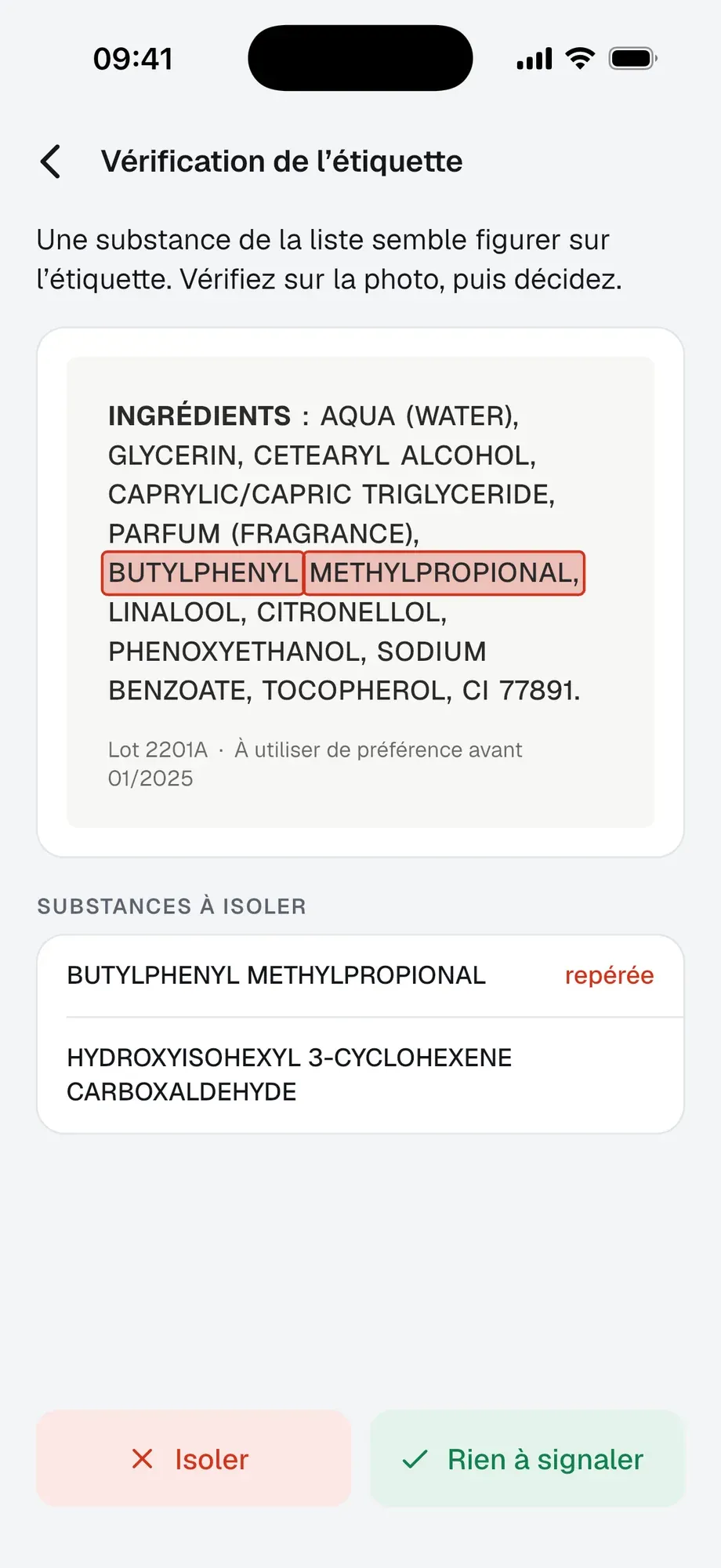
The photo cropped to the label, its text read, then compared word by word with the substance list with a similarity score: when sure, the app isolates by itself; in doubt, it highlights and lets the agent decide.
Google Cloud Vision
03
The report
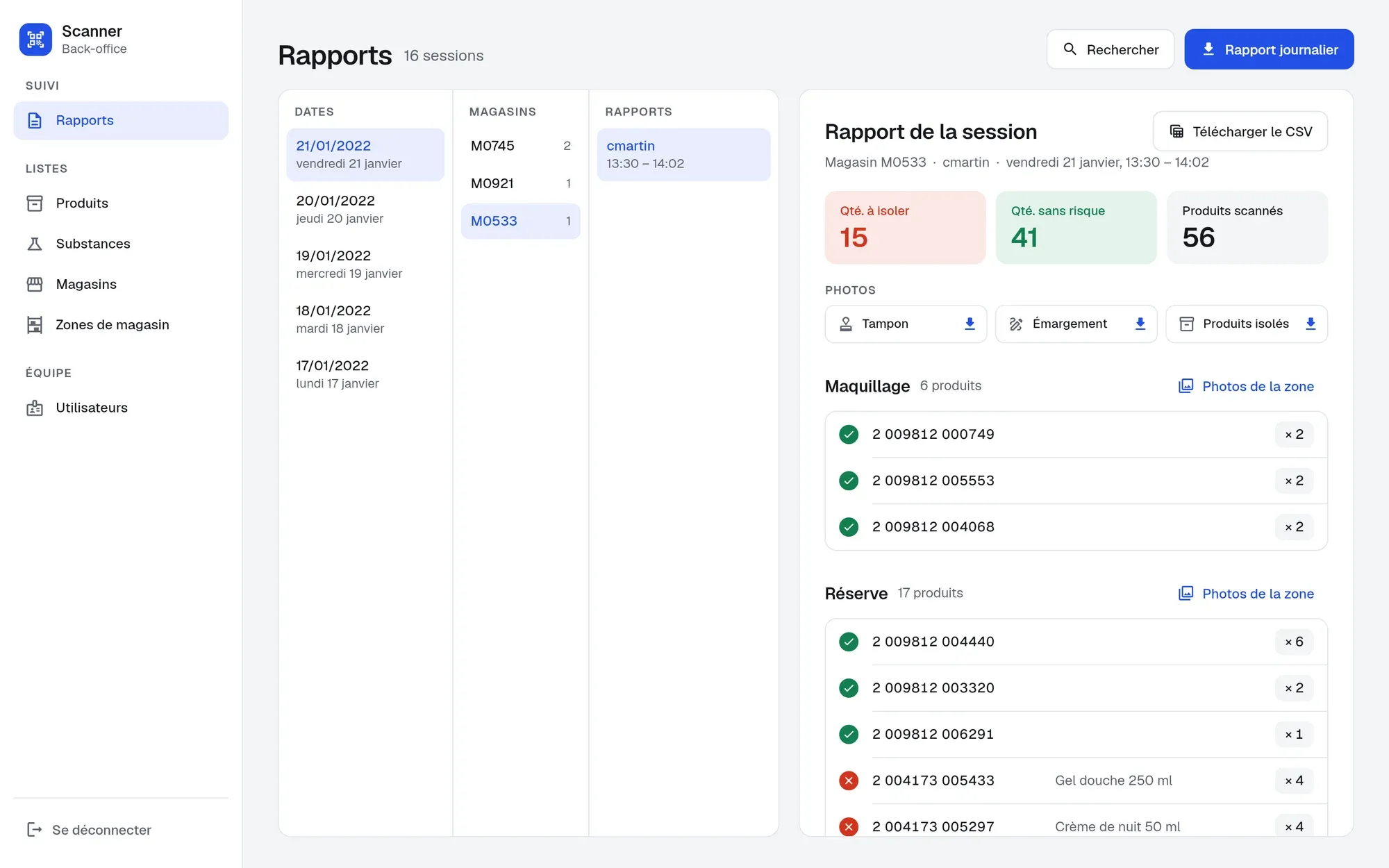
At the end of a session, a file that sums up the products by zone and verdict, sent with the photos of the stamp, the attendance sheet, the isolated products and each zone; a recap per day.
CSV · Firebase Storage
04
The back office
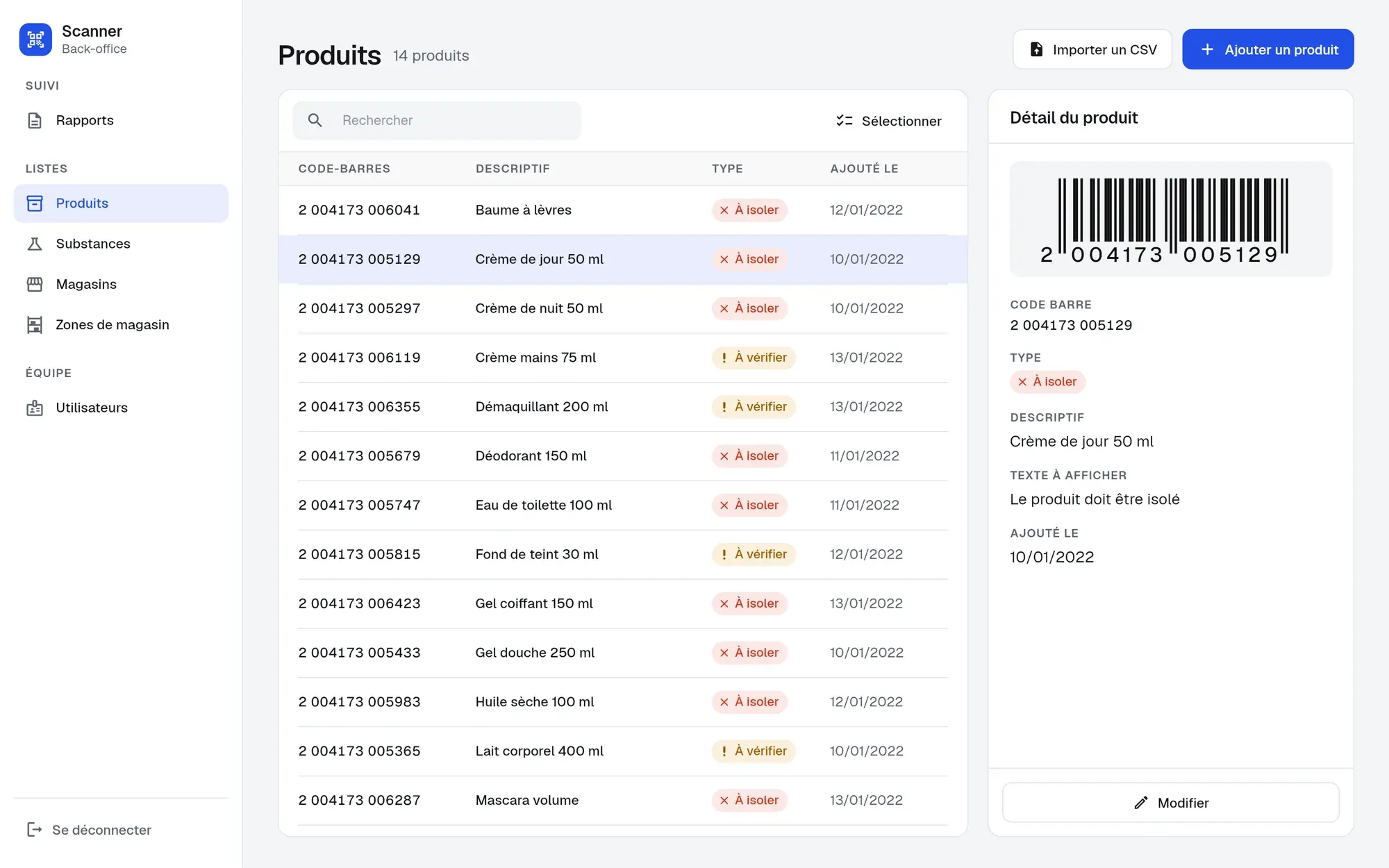
A site for managers: substances, products by barcode, stores, zones and agents, imported from a file, added or replaced; reports by date, store and agent, to download with their photos.
Flutter web · Firebase
How it works
Scroll: the drawing follows.
01 / 06
Sign in to the day’s store
Within a set deadline, every product containing a banned substance must be taken off sale, store by store. The agent signs in with their identifier, their password and the store’s code, and a withdrawal session opens, until their report is sent.
02 / 06
Pick a zone
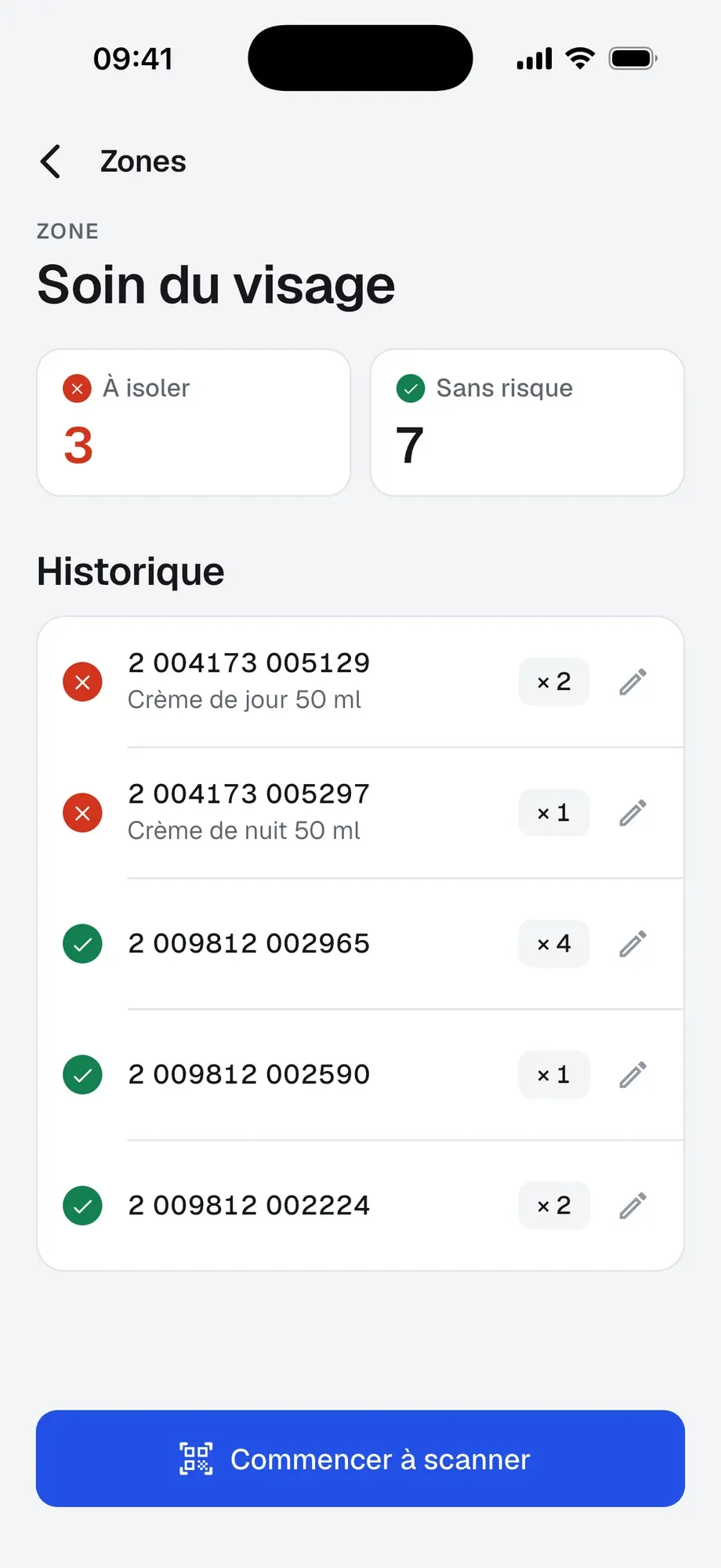
The store is divided into zones. The agent picks one, and its history shows live: every product scanned, its verdict and its quantity, to correct or delete in one tap.
03 / 06
Scan each product
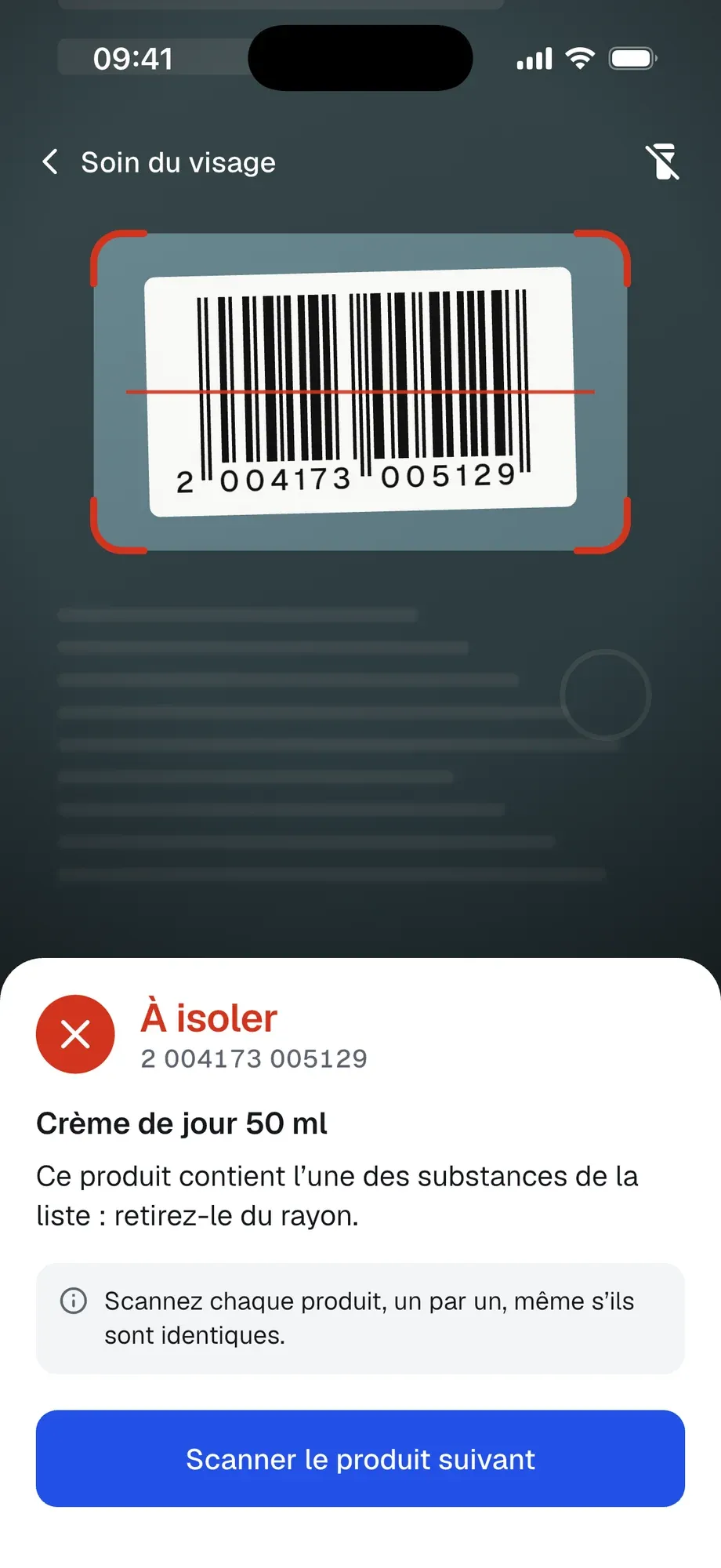
The agent scans each product with their phone, or types its barcode, and the screen answers with a colour. Green, nothing to report: the product goes back on the shelf, and identical ones are counted as a quantity. Red, to isolate: each item is scanned one by one. Orange: the label must be read.
04 / 06
Check the label
The agent reads the label and decides, or photographs it. The app reads the text on it, compares it with the list of banned substances and highlights what it finds; when it is sure, it isolates the product by itself, and when in doubt, it lets the agent decide.
05 / 06
Send the report
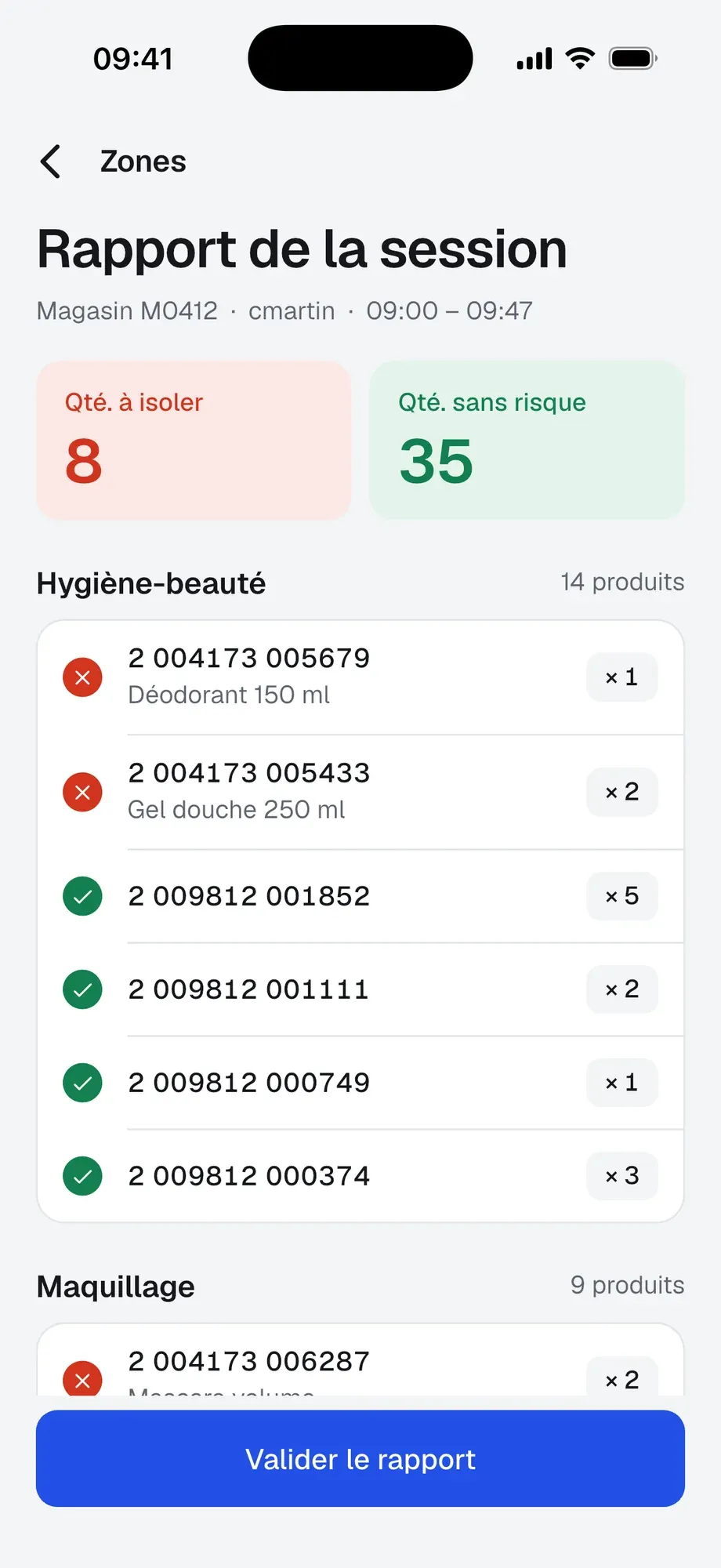
At the end of the session, the report sums up the products to isolate and those without risk, zone by zone, then leaves with its photos: the store’s stamp, the attendance sheet, the isolated products and each zone. One file per session, and a recap of the day.
06 / 06
Follow from the back office
Managers keep the lists there: substances, products by barcode, to isolate or to check, stores, zones and agents, each imported from a file, added or replaced. They find every report by date, store and agent, with its photos and its file to download.
Specifications
- Date
- 2022
- Role
- Development of the app and its back office
- Client
- Confidential client
- Built with
- Flutter · Firebase
- Platforms
- mobile · web back office