En Garde
Interns’ on-call shifts, shared out fairly.
Date: 2026
En Garde is an app for the medical interns of a hospital department: organising on-call shifts so that they are shared out fairly, and giving everyone a tool to get organised.
I designed an app where the department’s planning is shared: each intern enters their shifts in a few taps, and a fairness table counts everyone’s, by type and by weekend, to spread the next ones. Reminders go to the phone and to the personal calendar, and an Excel export goes to HR at the end of the month. The app installs from the browser, on iPhone as on Android, and the planning stays readable even offline.
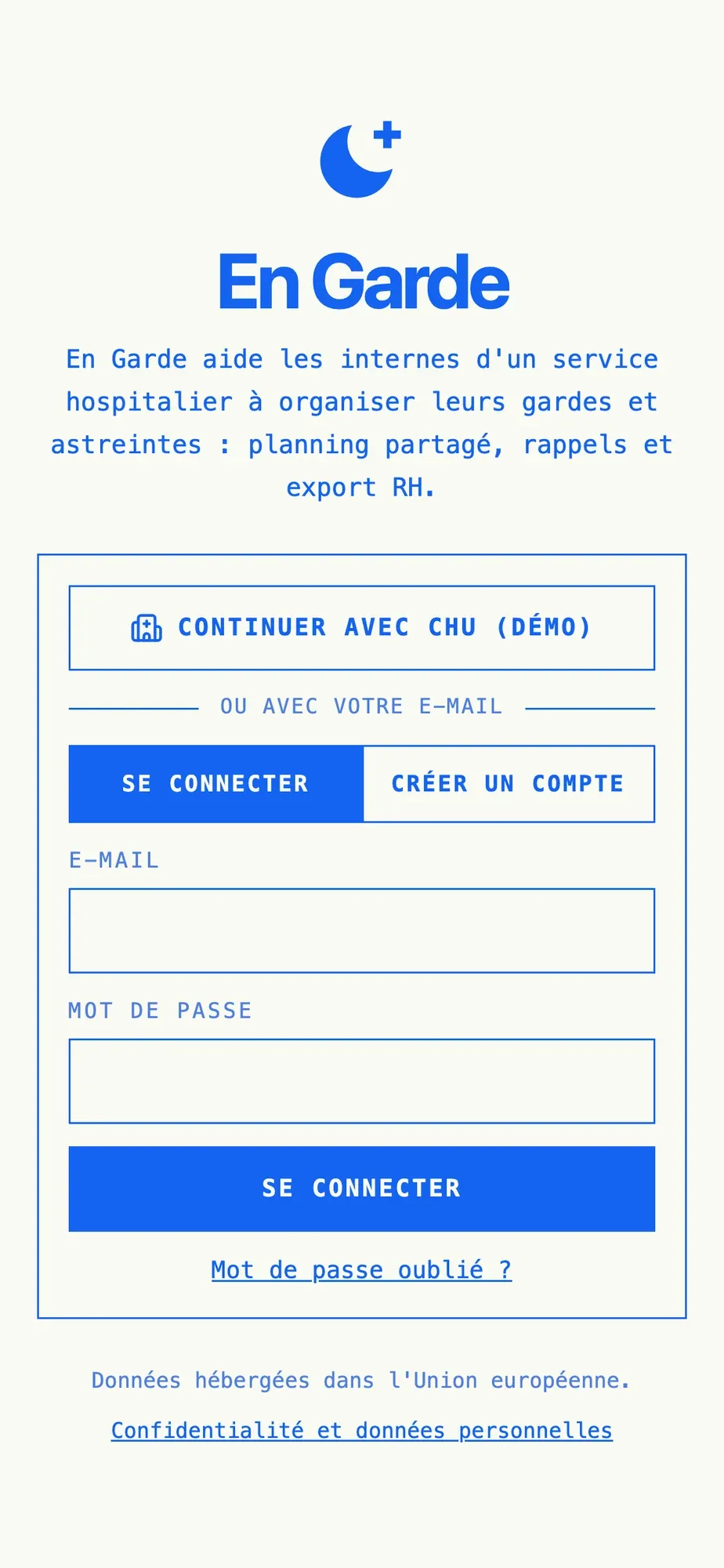
The data stays in France, with a Paris host. Each intern signs in with an email address, or in one click with Google, Microsoft or the hospital’s SSO.
The result
What was done
01
Free hosting, in France
The app fits in a Paris host’s free plan: one process serves the pages, the API and the reminders, the database keeps no connection open at rest, and a task every five minutes sends the reminders and wakes the app if it has fallen asleep.
alwaysdata · Node.js · PostgreSQL
02
A hospital sign-in
One-click sign-in with Google, Microsoft or the hospital’s SSO, with no paid identity service. No account is opened on the sole strength of an address a provider sent: linking two accounts takes the password.
OpenID Connect · PKCE
03
A fairness table in the open
Each intern’s shifts counted by type, Fridays, weekends and public holidays apart, astreintes separate, over the internship semester or any other period. Public holidays are computed automatically, Easter and Alsace-Moselle included.
04
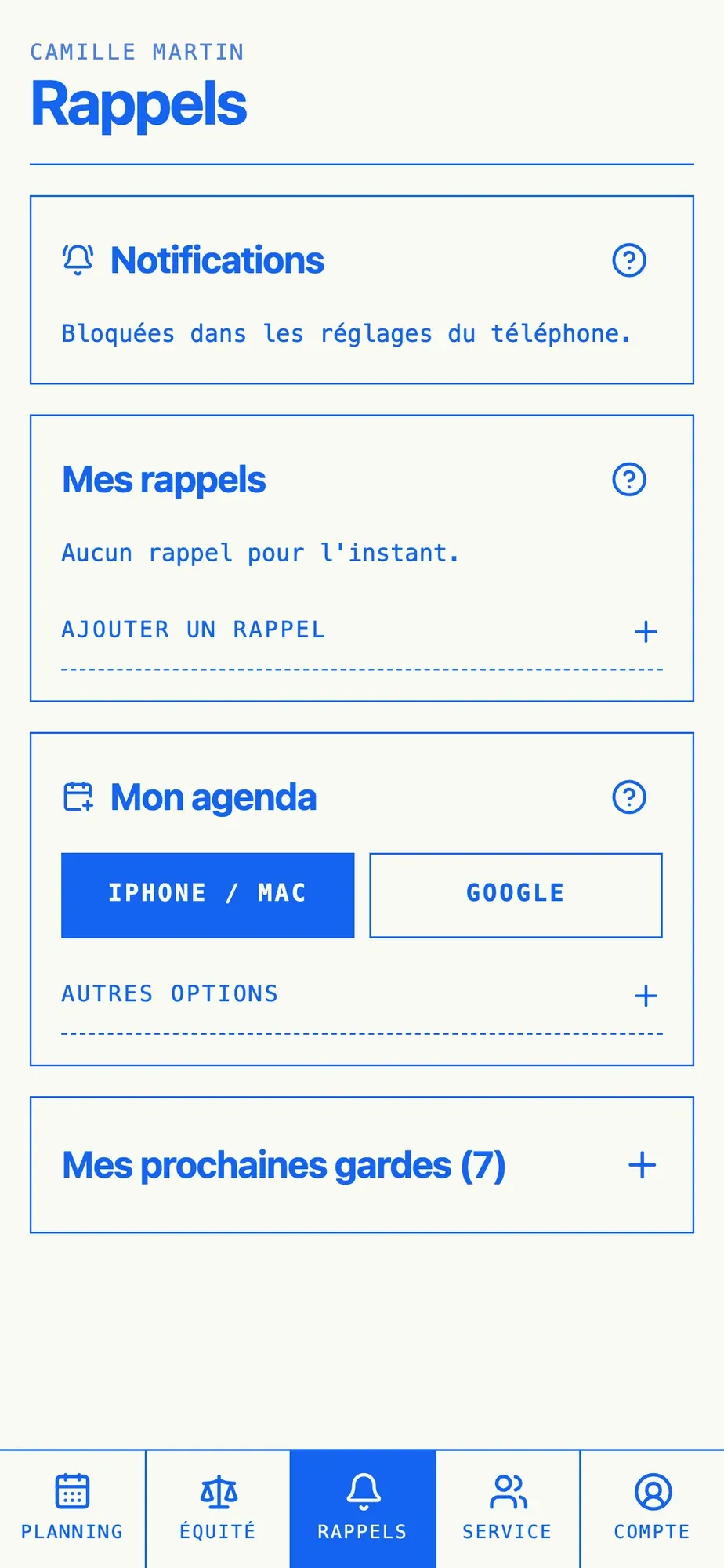
The option to add reminders
Each intern chooses when to be told, the day before, an hour before or a week before: a notification arrives on the phone, even with the app closed, and the same reminders follow the shifts into the personal calendar, updated automatically.
Web Push · iCalendar
05
An export ready for HR
An Excel file in three sheets, every shift, the summary by intern and the planning day by day, or a CSV that can be opened straight in French Excel.
ExcelJS
06
Protected data
Passwords and sessions stored hashed, sign-in attempts limited, no health data, and a privacy page that tells the interns what data is kept, for how long, and which rights they have.
scrypt · GDPR
07
Easy deployment and upkeep
The hosting is set up in three commands, every change is checked against a real PostgreSQL database then deployed and tested online automatically, and the database migrations apply themselves at start-up.
GitHub Actions · Vitest · Drizzle
How it works
Scroll: the drawing follows.
01 / 08
Join the department
The intern enters the department’s code, or opens the invite link a co-intern shared, then creates an account with an email address, or in one click with Google, Microsoft or the hospital’s SSO. If a record already existed under that name, the app asks “C’est vous ?” (is it you?) and attaches the shifts already entered. From one semester to the next, the same account joins a new department.
02 / 08
Read the planning
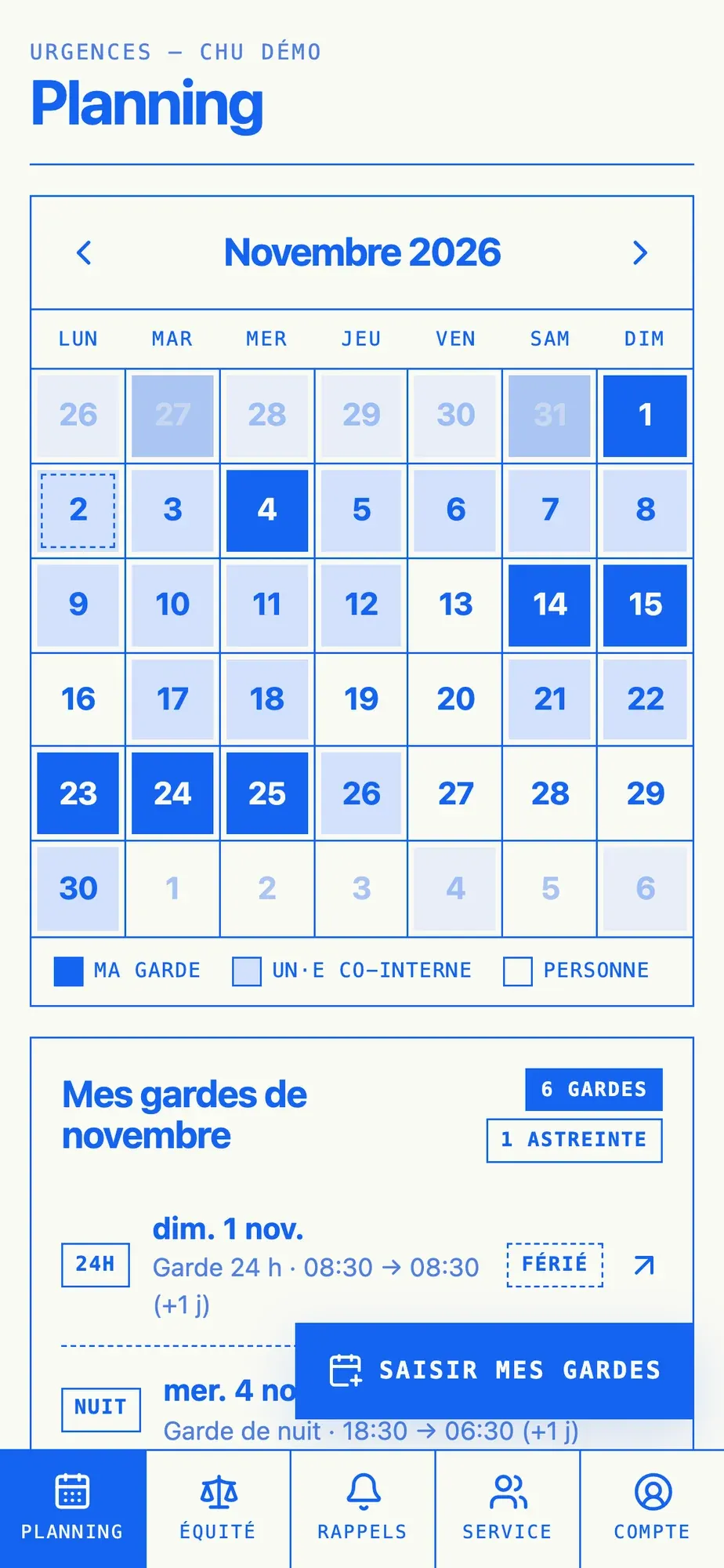
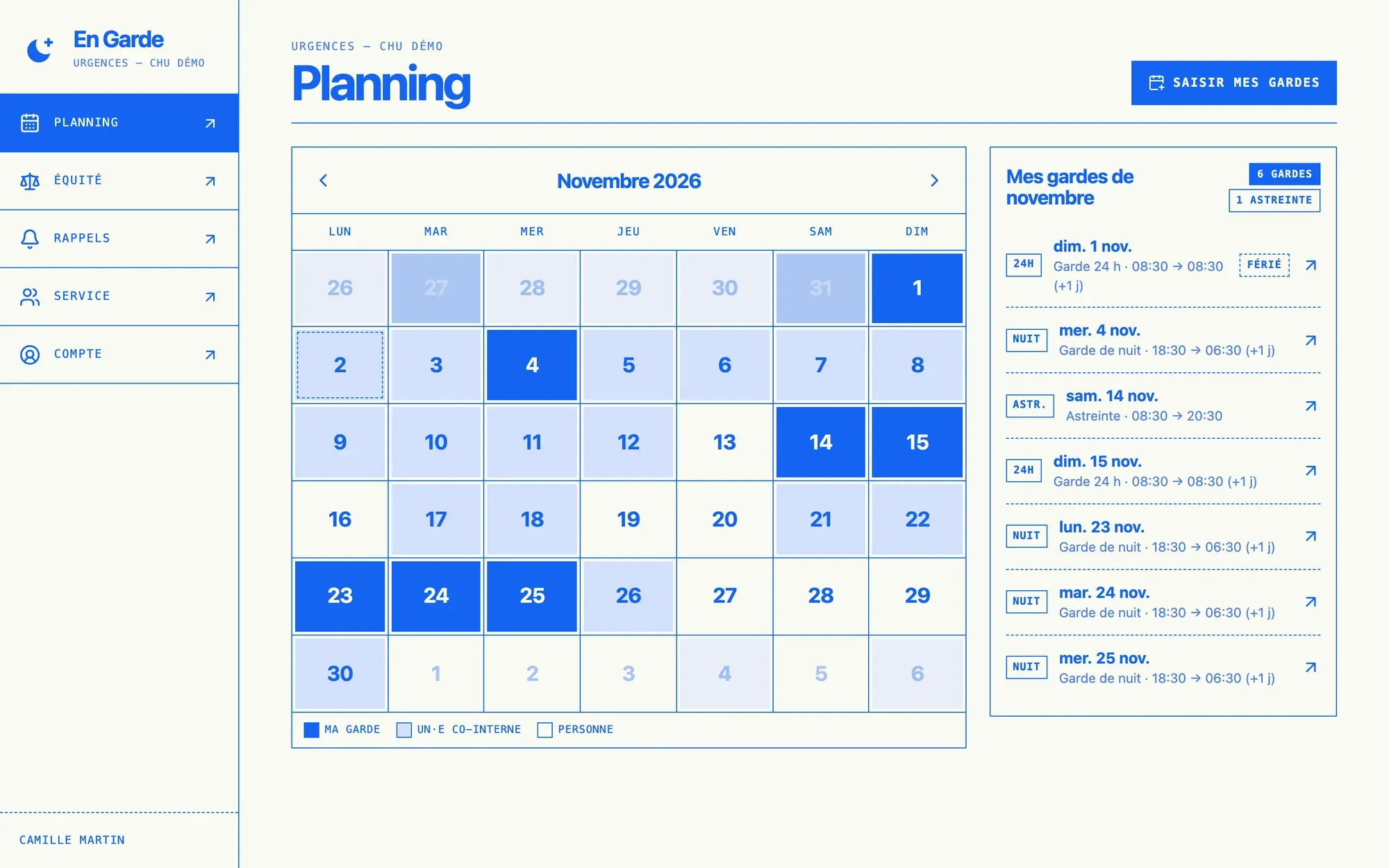
The planning is a calendar of the month: a blue square for the intern’s own shift, light blue for a co-intern, empty when nobody is on call. A sideways swipe changes the month, and tapping a day shows who is on call, with the type and the hours. Offline, the last planning loaded stays readable.
03 / 08
Enter shifts
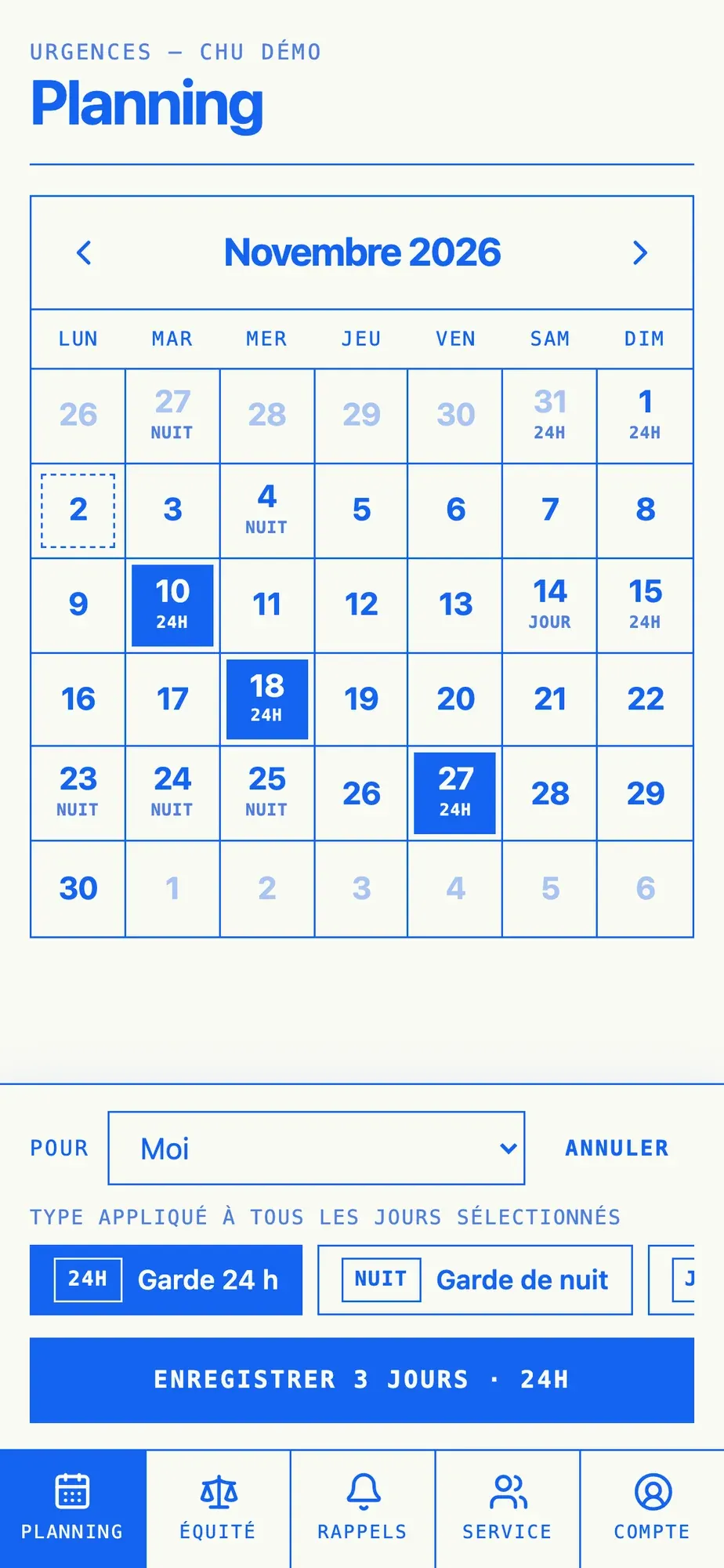
To enter a month at once, the intern taps the days, picks one type, a 24-hour shift, a night or a day, and saves them all in one go. Entries work for a co-intern too, and “Effacer” (clear) removes shifts the same way.
04 / 08
Swap a shift
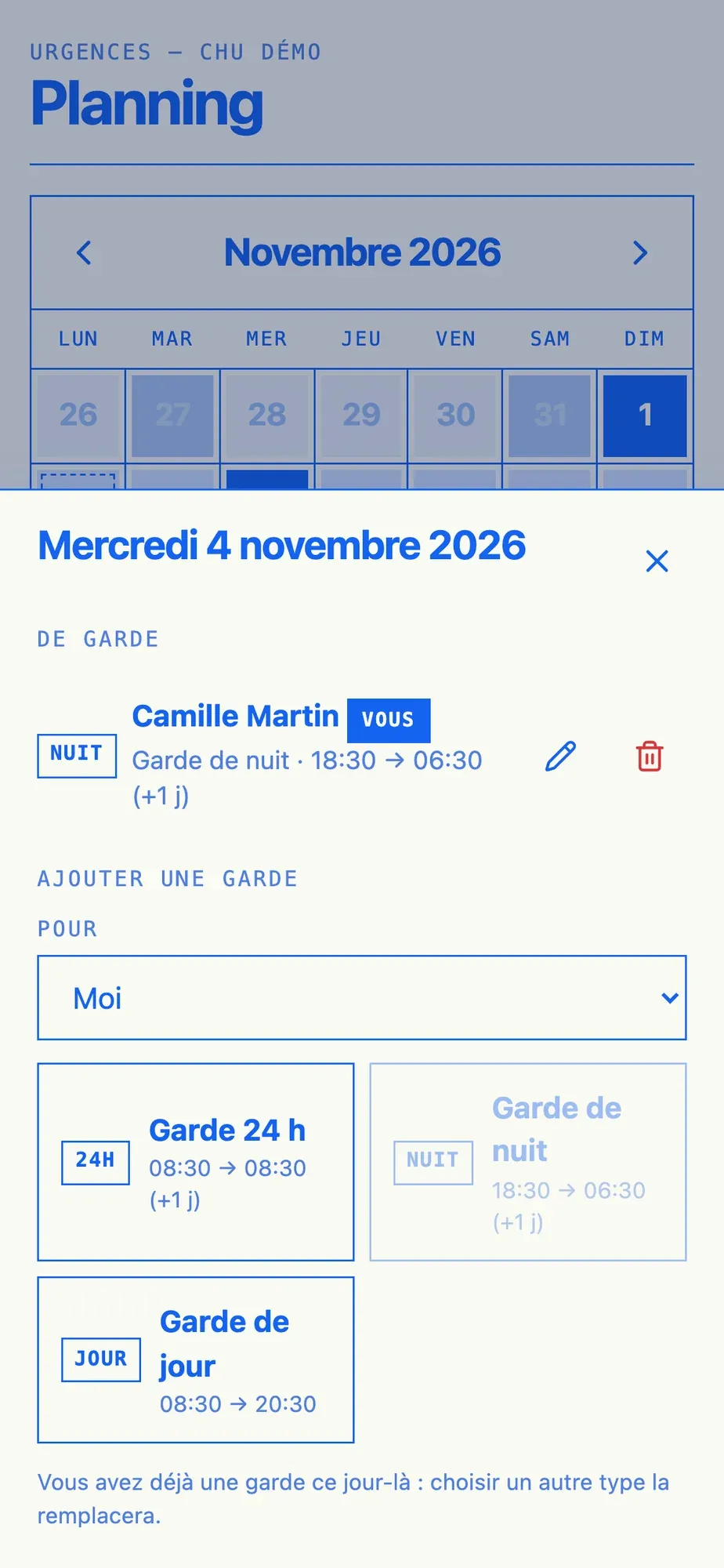
Tapping a day opens the day’s sheet. From there, a shift changes type, goes, or passes to a co-intern in a swap, unless that co-intern is already on call that day.
05 / 08
Check the fairness
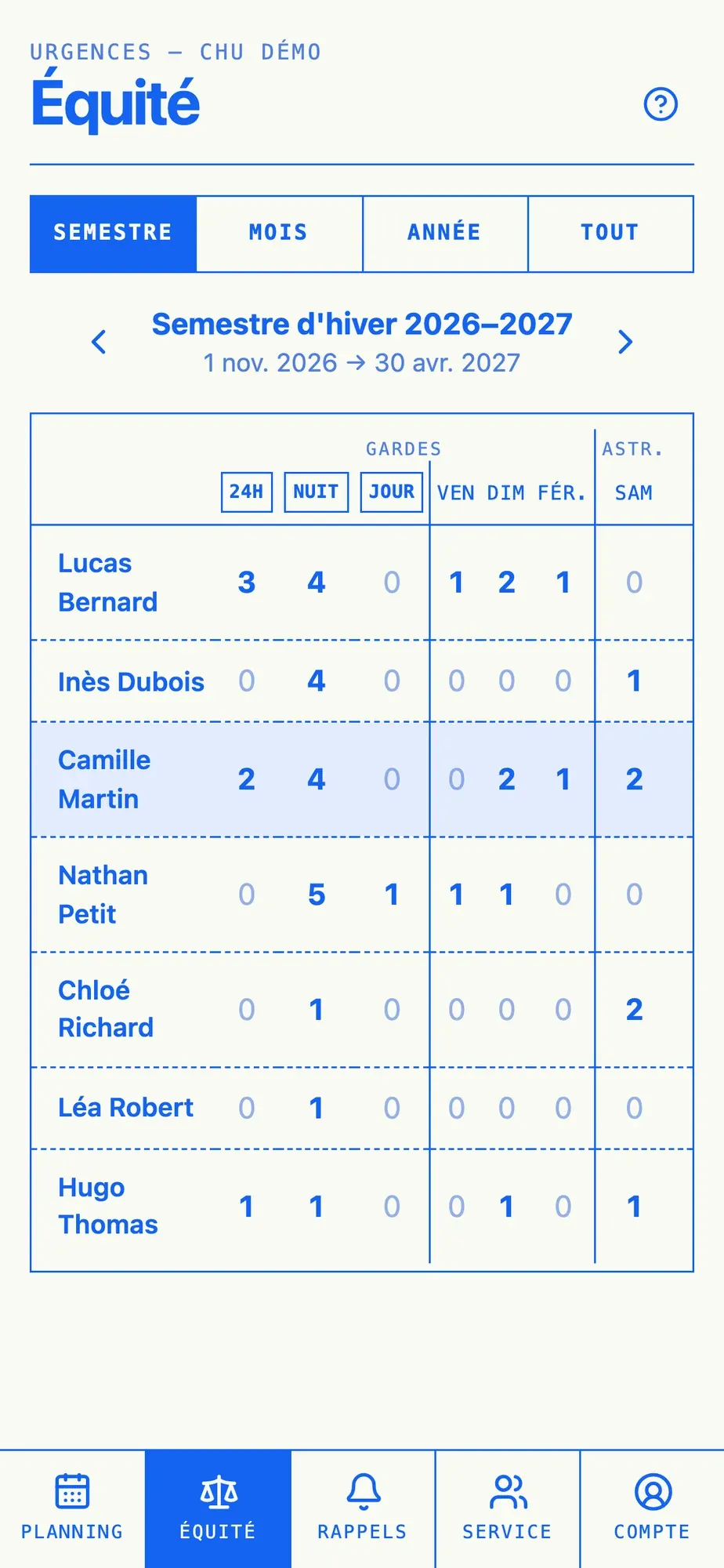
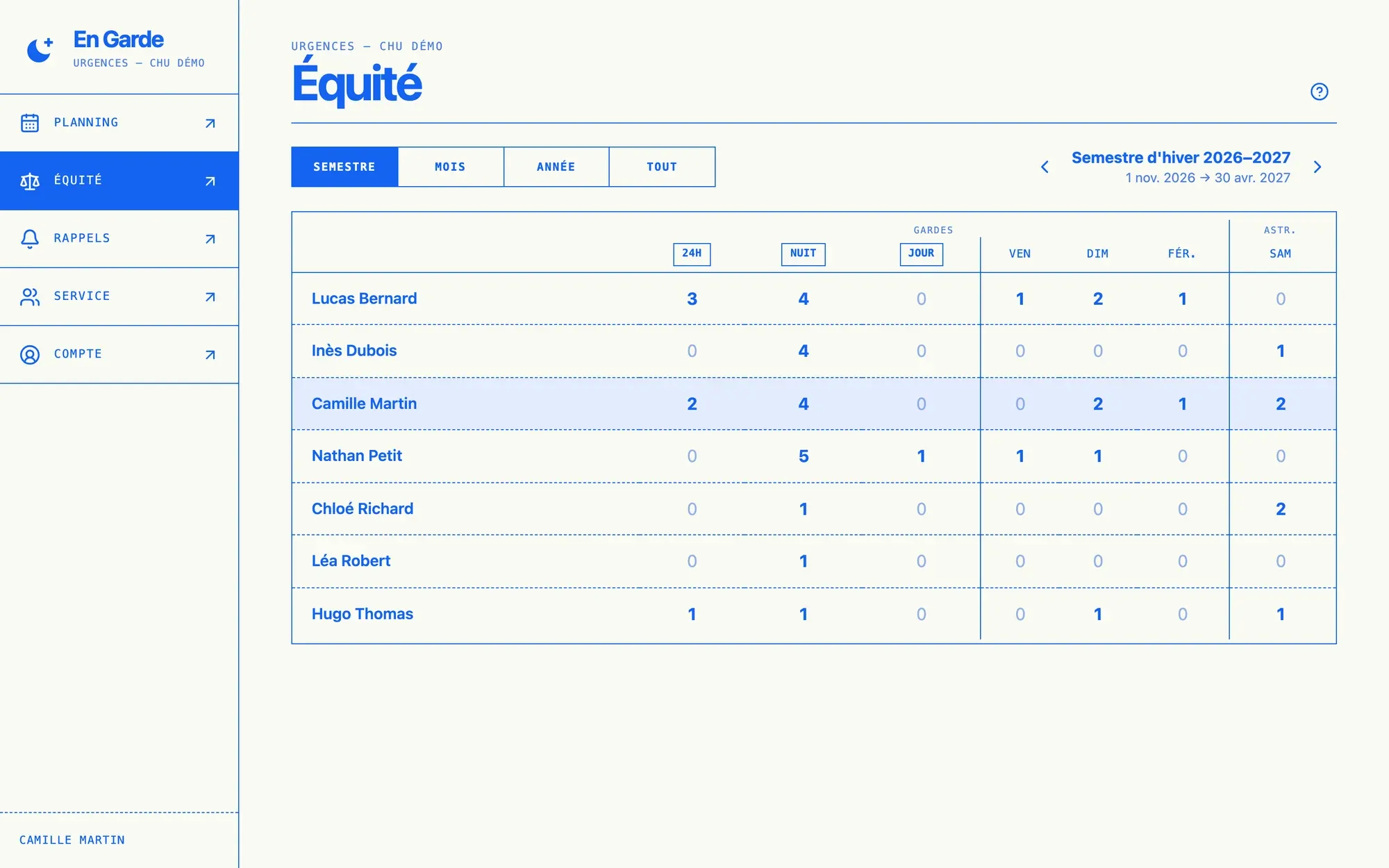
To keep the share fair, the fairness table counts each intern’s shifts, by type, along with Fridays, Saturdays, Sundays and public holidays, over the internship semester, the month, the year or all time. Astreintes, the days on call from home, are counted apart. Everyone sees at a glance who has done the most, so the next ones are shared out fairly.
06 / 08
Never miss a shift
The intern chooses when to be told, the day before, an hour before or a week before, and gets a notification on the phone, even with the app closed. The shifts also show in the usual calendar, on iPhone, Google or Outlook, and update there by themselves.
07 / 08
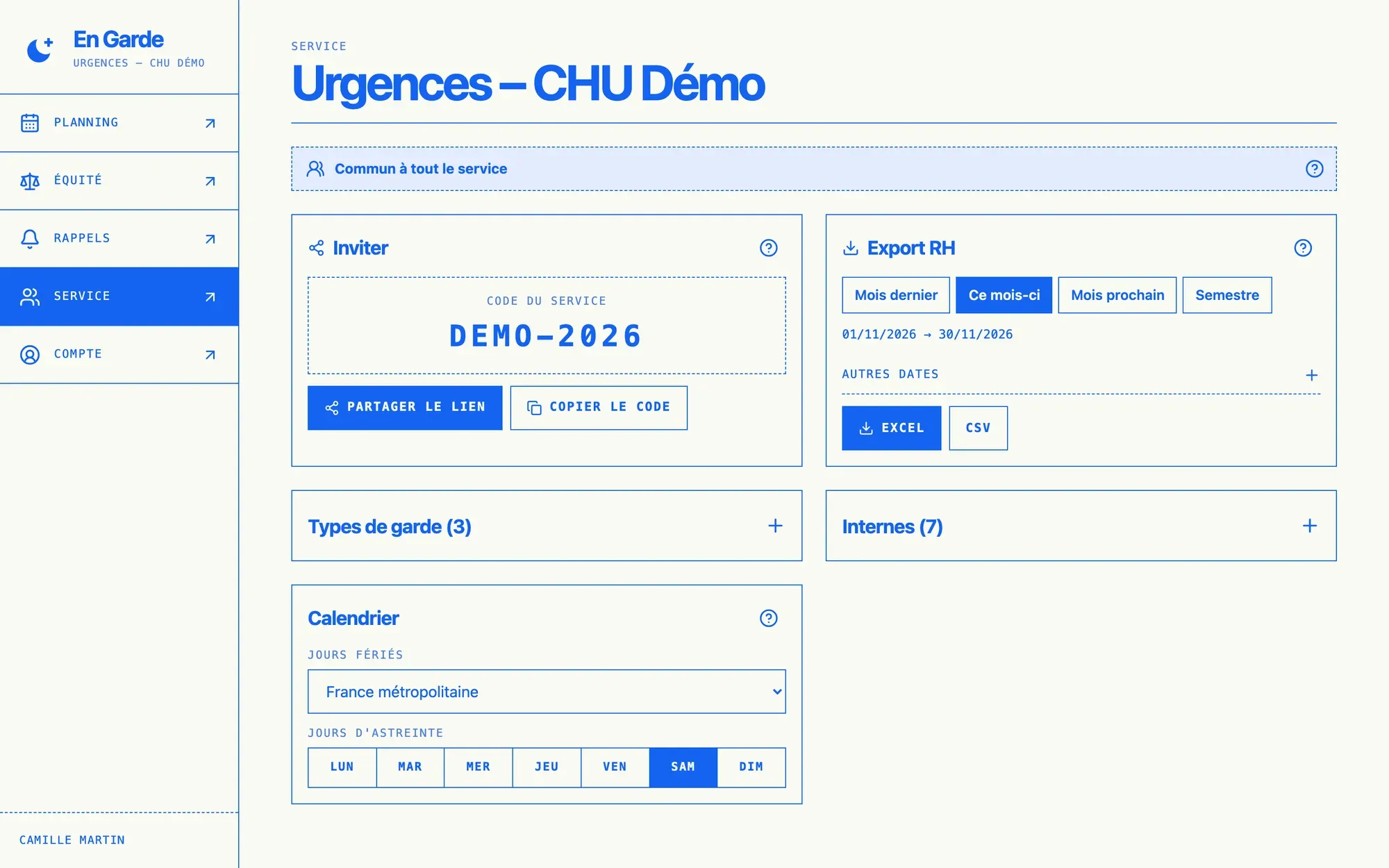
Export for HR
At the end of the month, an intern exports the department’s shifts for HR: an Excel file listing every shift and every astreinte with the duration and the holidays, then a summary by intern and the planning day by day. A CSV that can be opened straight in French Excel is offered too.
08 / 08
Set up the department
The shared settings sit on a page marked as common to the whole department: the shift types, the days on call, Saturday by default, the list of interns and the public holidays, computed by themselves, Alsace-Moselle included. At the end of a semester, an intern who leaves is marked “parti·e” (left): the shifts done still count, without cluttering the table of the semesters after.
Specifications
- Collection
- Personal products
- Date
- 2026
- Context
- A personal project, for medical interns.
- Role
- Design and development
- Built with
- SvelteKit · PostgreSQL · Drizzle · OpenID Connect · Web Push · ExcelJS · alwaysdata
- Platforms
- iPhone · Android · Web